The AntFarm 3D Assets: How to Craft, Kitbash and Create
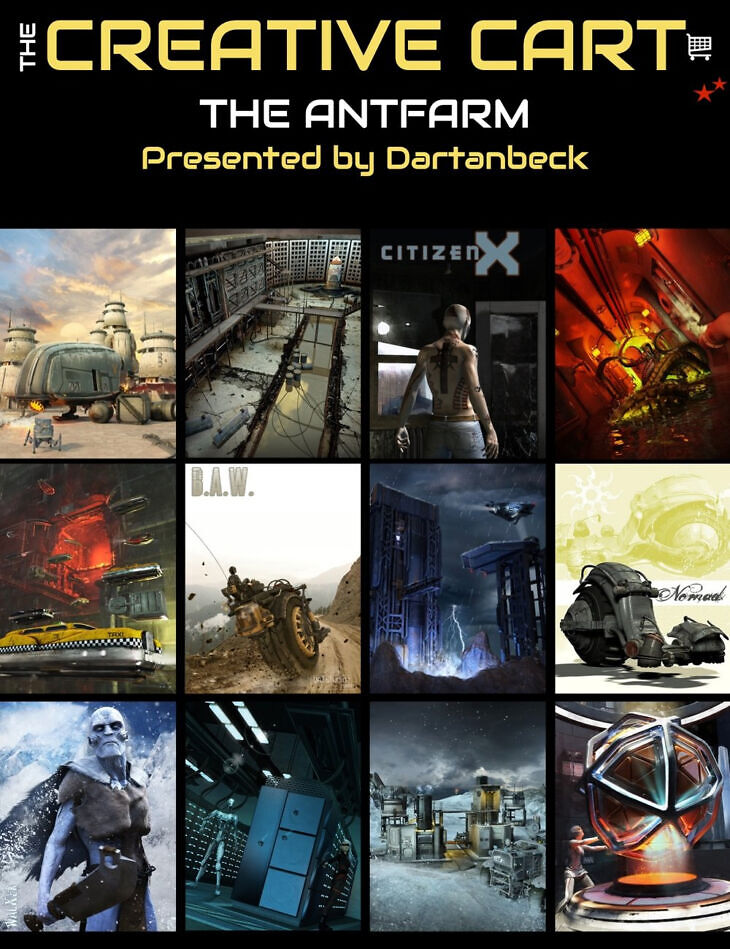
Dartanbeck Digital Art Live released The AntFarm 3D Assets: How to Craft, Kitbash and Create on Daz 3D. Inside the archive you get 22 items, including The Creative Cart : The AntFarm, 00:03 – Focuses on the Vertical Living series and Sky Traffic set, highlighting how the products are designed to work together, allowing for stacked and flexible combinations in scene creation., 00:06 – Describes using instances to duplicate scene elements efficiently, demonstrating animated cloud effects and various lighting techniques to enhance the visual appeal..
The Creative Cart is a curated exploration of recommended assets from the DAZ 3D store, designed to inspire, educate, and empower you in your DAZ Studio creativity. In this episode, Dartanbeck dives into Ant Farm’s diverse and flexible assets, showing how they can elevate your scenes and animations in DAZ Studio. From intricate character designs to versatile props, each product is demonstrated in both static and animated scenes. Whether you’re a seasoned artist or a newcomer to DAZ Studio, this episode will help you discover exciting new ways to use these tools. We are going to show you how to combine and customize scene elements so that you can create stunning environments and animations with ease. In this tutorial, you will learn: This tutorial is ideal for: Included in this tutorial: Tutorial Format and Length: MP4 HD – 1920 x 1080 1 hour and 36 minutes About the Presenter Dartanbeck Dartanbeck began his digital art journey painting game tiles for tabletop fantasy games and later became a texture artist for 3D game characters, earning several Hall of Fame awards. This sparked his passion for creating digital animations, which he has pursued ever since. As a DAZ 3D published artist, he has released several environment kits for Carrara, designed for animated filmmakers, and two character animation packs. Currently animating with DAZ Studio and Carrara, Dartanbeck enjoys sharing his workflow, which includes tools like PD Howler, Affinity Photo, DaVinci Resolve, and HitFilm. Living in a small Wisconsin fishing city, Dartanbeck loves the wilderness and has a background in custom stonework and performing music.
What’s included
- The Creative Cart : The AntFarm
- 00:03 – Focuses on the Vertical Living series and Sky Traffic set, highlighting how the products are designed to work together, allowing for stacked and flexible combinations in scene creation.
- 00:06 – Describes using instances to duplicate scene elements efficiently, demonstrating animated cloud effects and various lighting techniques to enhance the visual appeal.
- 00:09 – Demonstrates how to create and scale instances of animated clouds and explains the quick process of creating scenes, including the use of the Vertical Living repair shop set.
- 00:12 – Explains tweaks in lighting and materials, such as adjusting glass for iRay rendering, and emphasizes the versatility of Ant Farm products in both 3DLight and iRay.
- 00:15 – Discusses duplicating vs. instancing objects, highlighting how duplicating preserves object attributes, which is helpful for scene building and kitbashing.
- 00:18 – Kitbashes elements like ceilings and walls from different sets, demonstrating the flexibility and versatility of Ant Farm’s geometry for use in various environments.
- 00:21 – Explains using the Airlock Construction Kit and the Sci-Fi Black Market Alley set to create a dystopian urban environment, emphasizing the adaptability of scene elements.
- 00:24 – Highlights how to kitbash Sci-Fi Brig elements, including pipes and escape routes, while adding custom shaders and glowing effects for a dynamic environment.
- 00:27 – Demonstrates how Sci-Fi Brig walls and pipes can be used creatively as floors, walls, or ceilings, showcasing the flexibility of Ant Farm’s products in creating diverse scenes.
- 00:50 – Talks about using nulls for smooth camera movements in complex animations, explaining how to properly attach cameras and move objects like vehicles within the animation.
- 00:53 – Explains separating vehicle wheels in animation for independent movement, using geometry editor tools to create more realistic scenes with the Nomad product from Ant Farm.
- 00:56 – Describes the benefits of separating the wheel from the vehicle, enabling better control for physics and suspension, ensuring accurate translation and rotation in animation scenes.
- 01:02 – Introduces M Casual’s change orientation tool for aligning and adjusting vehicle parts like wheels, discussing how to use the tool to fix alignment and orientation issues.
- 01:05 – Demonstrates how to connect the Nomad vehicle to its chassis, adjusting parts like the seat and wheels for realistic suspension and steering during animations.
- 01:08 – Explains how to use the anti-blocks tool in DAZ Studio for animation, emphasizing the importance of correct camera positioning and vehicle attachment for smooth scene transitions.
- 01:11 – Introduces working with legacy characters in DAZ Studio, emphasizing the continued usefulness of older DAZ products like Ant Farm’s biobiotic figure, even with modern animation setups.
- 01:14 – Discusses converting legacy characters to triax rigging in DAZ Studio, explaining the benefits of using custom dials and animations for older character models.
- 01:17 – Demonstrates creating new control dials for legacy characters, making them easier to animate and customize without overriding animation sequences, using DAZ Studio’s ERC freeze function.
- 01:20 – Shows how to create custom control dials for characters to manage arm and hand movements independently, streamlining the animation process with better control over keyframes.
- 01:26 – Explains how custom foot bend dials can be used to fix complex foot rotations in animation, simplifying what would normally require adjustments in multiple axes
- 01:29 – Introduces an Ant Farm character for Genesis 1 called “Walker HD,” discussing how to apply its shape within the parameters and how to work with Genesis-based models in animation.
Specifications
- Source: Daz 3D
- Software / install: DIM Manual Install
- SKU: 105330
- Artist: Dartanbeck Digital Art Live
The file is mirrored on 7 hosting services; a free account is required to download.