Luminosity Black: Iray Mesh Lighting System for Low Light Settings
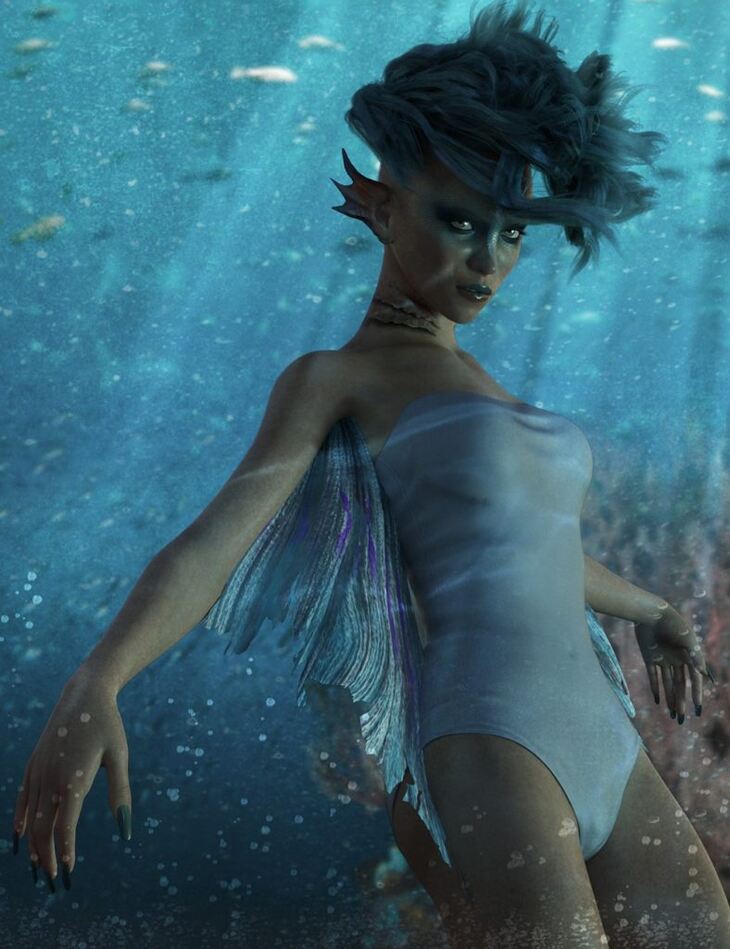
Daz Originals Skyewolf released Luminosity Black: Iray Mesh Lighting System for Low Light Settings on Daz 3D. The package ships 28 files, starting with Luminosity Black: Iray Mesh Lighting System for Low Light Settings, 5 Environment Presets: Twilight, Full Moon.
Luminosity Black Mesh Lighting System for Iray is a simplified lighting system for low light settings using mesh light props and Environment and Tone Mapping settings.
Luminosity Black comes with 5 custom Environment settings each including it’s own custom tone mapping as well as 25 Mesh Light presets specially designed for the tone mapping of each Environment setting.
Also included are one click utilities that make this set amazingly versatile. Make individual mesh props invisible so you don’t have to worry about camera angle, turn individual lights on and off, reset the custom tone mapping to default if necessary. Delete all mesh light groups from the scene.
The Environment settings come with one click utilities to control both intensity and dome rotation and ones to change to either scene only lighting or Dome & Scene environment.
Luminosity Black also includes six custom light gel light sets that use both Photometric spotlights and mesh lights.
These lights are great straight out of the box, or use the included utilities to mix and match them as you please for hundreds of different lighting combinations.
CAUTION: Due to the specialized tone mapping used to achieve realistic low light and night time lighting looks, other lights and emissive shaders may give you unexpected results. This includes the Headlamp included on the Cameras.
What’s included
- Luminosity Black: Iray Mesh Lighting System for Low Light Settings
- 5 Environment Presets: Twilight
- Full Moon
- No Moon
- PreDawn
- Underwater
- 25 Mesh Lighting Presets: 5 Twilight
- 5 Full Moon
- 5 No Moon
- 5 PreDawn
- 5 Underwater
- 6 Light Gel Sets Amethyst
- Aurora
- Stardust
- Supernova
- TyeDye
- Underwater
- Utility Files: Turn Light On
- Turn Light Off
- Make Light Invisible
- Make Light Visible
- Set Mode to Scene Only
- Set Mode to Sun-Sky
- Reset Default Tone Mapping
- Delete all Mesh Light Groups
- 8 Dome Rotation Presets
- 6 Environment Intensity Presets
- Textures Include: 7 Texture and Transparency Maps (1 x 1 up to 1024 x 1024)
Specifications
- Source: Daz 3D
- File format: DUF
- Software / install: Daz Connect DIM Manual Install
- SKU: 55113
- Artist: Daz Originals Skyewolf
The file is mirrored on 6 hosting services; a free account is required to download.