The Power of AniMate 2 : Animating with Precision in DAZ Studio
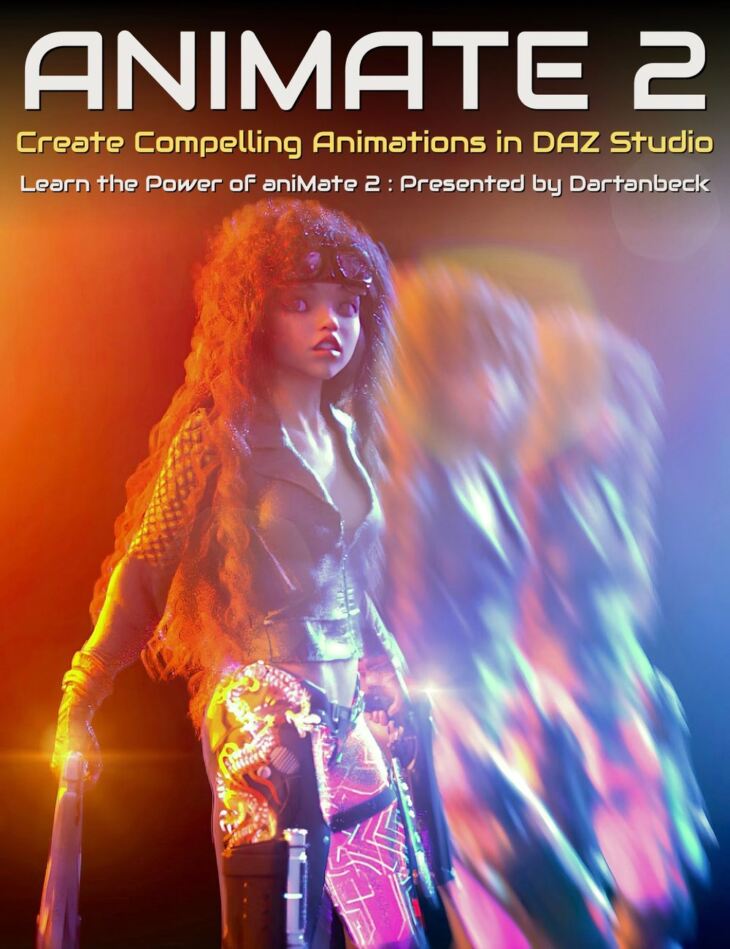
The Power of AniMate 2 : Animating with Precision in DAZ Studio is a tutorial for Genesis 9, created by Dartanbeck Digital Art Live and published on Daz 3D. Inside the archive you get 45 items, including The Power of AniMate 2 tutorial set, Video Part1a : 30 minutes (.MP4) 00:00 Introduction to Animate 2’s capabilities and applying aniBlocks to Genesis 3 female pose., 02:00 Explanation of bone minion feature for pose conversion and initial object interaction setup..
Let’s get focused on mastering “aniMate 2” in DAZ Studio! AniMate 2 combines a user-friendly interface with sophisticated features, making it a valuable and core tool for animating your visual stories. Dartanbeck uses AniMate 2 at the heart of his workflow and reveals in this tutorial set how to make the most of this and other hyper-useful tools such as LimbStick, Bone Minion and Mixamo for effective animation storytelling in DAZ Studio. This tutorial set by Dartanbeck is for you if… This is for you if you want to accomplish: Total tutorial set running time :5 hours and 1 minute Required for this Tutorial Set aniMate2 is a key part of the workflow demonstrated in this course and is required. Recommended for this Tutorial Set Bone Minion by RiverSoft Art LimbStick by 3D Universe Daz Studio Animation Tools – Set 1 by 3D Universe (for use with Mixamo downloads) In this tutorial set you’ll learn: Bonus content includes converting entire walk construction kits for different figures and creating icons for aniBlocks. Sample Video About the presenter : Daniel Beck Dartanbeck began his Digital Art journey by painting game tiles for tabletop fantasy games. He then became a texture artist for 3d game characters for a world-wide gaming community from which he has received several Hall of Fame awards. This immediately sparked his desire to create digital animations in the form of movies or shorts and has been dedicated to that pursuit ever since. Now as a Daz 3d published artist, he has released several environment kits for Carrara software – specifically designed with animated movie makers in mind, plus released two character animation packs. Dartanbeck is currently animating using Daz Studio and Carrara software and is having a lot of fun and success with it. Throughout his animation projects, he loves to share his experiences to help others to succeed as well. His animation workflow includes Daz Studio with a collection of add-on plugins, Carrara 8.5 Pro, PD Howler, Affinity Photo, DaVinci Resolve, HitFilm and Magix MusicMaker Premium. Dartanbeck lives in a small fishing city in Wisconsin and loves the changing seasons and has always been at home in the wilderness. He has spent his career chiseling custom stonework, designing and building cliff extensions, waterfalls, ponds, walls, patios… even custom outdoor furniture made of stone. He is also a performing musician.
What’s included
- The Power of AniMate 2 tutorial set
- Video Part1a : 30 minutes (.MP4) 00:00 Introduction to Animate 2’s capabilities and applying aniBlocks to Genesis 3 female pose.
- 02:00 Explanation of bone minion feature for pose conversion and initial object interaction setup.
- 04:00 Adjusting arm motions and preparing for character interaction with a pistol.
- 06:00 Introduction of a left-hand pistol for the animation and custom icon discussion.
- 08:00 Refinement of hand animations for gun grasping using Genesis and custom dials.
- 10:00 Detailed adjustments to fingers positioning for holding the gun.
- 12:00 Finalizing hand pose with the gun and keyframe adjustments in Animate 2.
- 14:00 Setup of the parent constraint feature for enhanced animation control.
- 16:00 Demonstration of parent constraint functionality and animation preview.
- 18:00 Camera angle setup and introduction of additional scene elements.
- 20:00 Discussion on animation techniques involving the parent constraint tool.
- 22:00 Animation setup with character leaning against a car and limb stick adjustment.
- 24:00 Utilizing Limbstick for arm animation adjustments and facial animation customization.
- 26:00 Showcasing facial animation enhancement using aniBlocks and Limbstick utility.
- 28:00 Overview of various aniBlocks from BoneTech3D available at Daz3D.
- Video Part1b : 1 hour and 9 minutes (.MP4) 00:00 Introduction to AniMate 2 in DAZ Studio and overview of aniBlocks.
- 02:00 Explanation of keyframes, tweeners (TCB, constant, linear), and their effects on animation.
- 04:00 Discussion on the use of keyframes for joint manipulation and animation techniques beyond joint rotations.
- 06:00 Detailed process of baking aniBlocks to studio keyframes and exploration of motion capture data.
- 08:00 Demonstration of extending and modifying aniBlocks, such as adjusting walk speed by stretching keyframes.
- 10:00 Explanation of aniBlock manipulation, including reversing, mirroring, and trimming.
- 12:00 Combining different aniBlocks and adjusting foot weighting using reorient start menu.
- 14:00 Techniques for positioning animations within the scene using the animate tool and start circles.
- 16:00 Discussion on differentiating character motions and using the mirror aniBlocks feature.
- 18:00 Q&A session addressing various features of AniMate 2 and their applications.
- 20:00 Creation of custom aniBlocks from studio keyframes and saving them in the DAZ library.
- 22:00 Overview of the conversion process from motion files to aniBlocks and adding custom icons.
- 24:00 Explanation of interpolation tweeners and their effects on transitions between keyframes.
- 26:00 Adjusting pose controls and using TCB tweeners for curved transitions.
- 28:00 Exploration of the GoFigure graph editor and its advanced tweener for aniBlocks.
- 30:00 Introduction to using custom dials and clearing animations in AniMate 2.
- 32:00 Selection of different aniBlocks and adjusting auto adjust settings for aniBlocks.
- 34:00 Utilization of guides in aniBlocks for alignment and visual reference.
- 36:00 Making changes to character poses within the AniMate 2 workflow and creating levels.
- 38:00 Demonstration of adding and removing keyframes at specific points in an animation.
- 40:00 Showcase of GoFigure’s addition of animation level editing in AniMate 2.
- 42:00 Introduction to the graph editor and its capabilities in manipulating animations.
- 44:00 Discussion on using animations for different characters and splitting aniBlocks.
- 46:00 Explanation of cropping aniBlocks to create separate entities and their repetition.
- 48:00 Combination of different aniBlocks and using face controls for animation.
- 50:00 Demonstration of adjusting motion paths for specific body parts using tool settings.
- 52:00 Challenges of manipulating foot paths in animations for Genesis 8 figures.
- 54:00 Exploration of different animation techniques and the use of motion paths in dance animations.
- 56:00 Addressing questions
Specifications
- Source: Daz 3D
- Compatible figures: Genesis 9
- Software / install: DIM Manual Install
- SKU: 93000
- Artist: Dartanbeck Digital Art Live
It is available through 3 mirrors. Registration is free and takes a moment.