Rendering Revolution – Conquering Complex Scenes with V3 HDR Creator
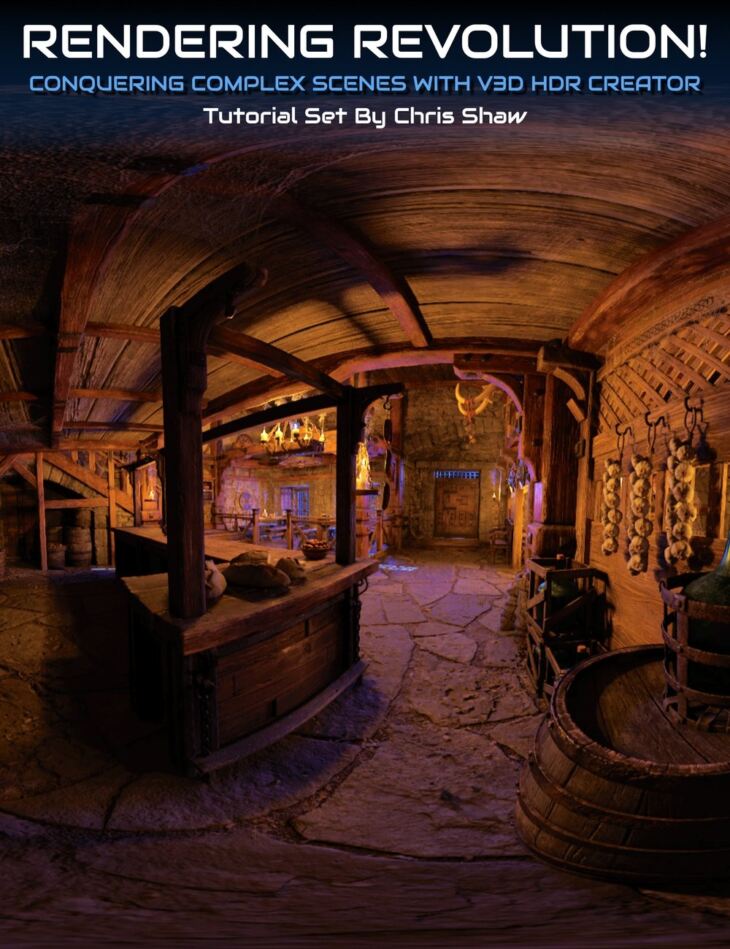
Digital Art Live released Rendering Revolution – Conquering Complex Scenes with V3 HDR Creator on Daz 3D. The download holds 54 items, among them Rendering Revolution Tutorial Set, Video 1 : HDRI Primer : 13 minutes (.MP4) Introduction to HDRI in DAZ Studio, Loading and Comparing HDRI with Regular Images.
This tutorial set helps you unlock the full potential of High Dynamic Range Imaging (HDRI) in DAZ Studio making the best use of the V3D HDR Creator product by V3Digitimes (also found in the DAZ store). This empowers you to create more complex scenes using fewer resources. This immersive program encompasses almost 4 hours of detailed instruction spread across 13 searchable videos. Investing in this tutorial set will provide you with… 1. HDRI Fundamentals: An in-depth understanding of HDRI, from the basics to its benefits, and even free sources of HDRI images. This is the foundation on which you’ll build your HDRI skills. 2. Practical Instruction: Each video guides you through hands-on exercises to help you grasp the creation process with the V3D HDRI Creator, demonstrating how to incorporate HDRI into your 3D scenes for realistic lighting and accelerated render times. 3. Quality Control: Learn how to tackle quality concerns, from managing blurriness and depth of field (DOF) to blending models with HDRI elements. These insights will help ensure your HDRI scenes always look their best. 4. Efficiency Tips: Understand the impact of HDRI resolution on your machine resources and render times, enabling you to optimize your workflow and maximize efficiency. 5. Camera Dynamics: Master camera positioning and adjustment techniques for capturing your HDRI scenes without distortion and maximizing their visual appeal. 6. In-Depth Understanding of Parameters: The tutorial dissects the many parameters involved in HDRI creation, such as exposure value and luminance corrective factor, and teaches you how to adjust them effectively for stunning outcomes. 7. Expert Problem-Solving Advice: Handle common HDRI challenges, like shadows and scene structure limitations, with expert guidance and potential solutions. 8. Walkthrough and Details: Get an extensive walkthrough on using specialized scripts and tools such as the EXR and PNG XEV Creator tabs, Safe Mode, and much more. 9. Presets and Data Management: Learn to create and manage DAZ Studio presets and efficiently handle HDR data files for more streamlined and organized projects. Bonus Content: Also included is a comprehensive slide pack that serves as a companion to the tutorial, covering topics like DOF, Focal Length, Focal Distance, F-Stop/Aperture, and Exposure Value. Bonus Content: A searchable version of this tutorial set is included, allowing you to search for any word or keyphrase in the transcript across all the videos. By the end of the “Complete HDRI Mastery” tutorial, you’ll be equipped to create, manage, and optimize HDRI scenes with confidence using the V3D HDR Creator. Whether you’re a beginner exploring DAZ Studio or a seasoned 3D artist looking to enhance your skill set, this learning will help boost the realism, quality, and efficiency of your 3D renders.
What’s included
- Rendering Revolution Tutorial Set
- Video 1 : HDRI Primer : 13 minutes (.MP4) Introduction to HDRI in DAZ Studio
- Loading and Comparing HDRI with Regular Images
- Using External Tools to View HDRI
- V3D HDRI Creator and Add-On Tools
- Free Sources of HDRI Images
- Benefits of Using HDRI
- Creating HDRI with V3D HDRI Creator
- Video 2 :Setting up a scene ready for HDR Creator : 4 minutes (.MP4) Choosing and Implementing HDRI for Realistic Lighting
- Understanding How HDRI Works
- Video 3 :Creating an HDRI and comparing render times : 18 minutes (.MP4) How HDRI renders much faster than a scene composed of models
- HDRI creation process with the V3D HDRI creator
- Render comparison between HDRI and normal model scene
- Visual comparison checks
- Why dome rotation alignment is important
- Camera positions and saving
- Testing with a new scene with newly created HDRI
- HDRIs as backdrops
- Video 4 : Checking and understanding the HDRI quality : 13 minutes (.MP4) About HDRI resolution
- About complex blending of model and HDRI elements
- Role of distance from camera from models in preparing an HDRI
- Reducing blurriness using DOF
- Prioritizing important elements to counter blurring effect of HDRI
- Scene management
- Blending models with HDRI
- Video 5 :Placing (hi res) models according to your scene camera : 6 minutes (.MP4) Positioning of models in a HDRI background scene considering camera distance.
- Rendering efficiency explained in this case study
- Thoughts on improving the visual quality.
- Video 6 : HDRI quality improvement, machine resources impact, render comparison 16 minutes (.MP4) Camera Set-Up: Utilizing V3 HDR creator utilities for the camera set-up
- Resolution Enhancement: How doubling the resolution to 8K to work against bluriness.
- The importance of Renaming and Classification
- Comparing Resolutions: Chris provides an overview of different resolutions and their implications for image quality. Recommended site for checking impact on this.
- 4K to 8K HDRI visually compared
- Render timing observation between 4K and 8K
- Performance Assessment: Chris checks the system’s performance during rendering, noting the usage of resources like the graphics card memory, main system memory, and CPU.
- HDRI vs. Model Rendering for this case study
- Video 7 : HDRI scene/models scene comparison, shadows 12 minutes (.MP4) Environment Intensity Adjustment: Advice on the use of the “environment intensity” slider in the render settings
- New case study comparing time to render an HDRI scene (3.5 minutes) to a model scene (28 minutes)
- Scene Modification: Flexibility of working with HDRI – faster renders with scene changes.
- Shadow Casting: An issue with shadows
- Possible shadow solution
- Limitations of scene structure
- Video 8 : Creating a base HDRI to compare with (using UltraScenery Models) : 10 minutes (.MP4) Setting up a scene for HDR creator using UltraScenery including closeup, medium and far distant objects
- Strategy on positioning the camera at the centre and why
- Capturing the scene with the 3D camera and applying the script
- Ensuring you create the HDRI at high resolution. Saving the settings.
- Checking the created HDRI scene. How the settings in the HDR creator can be modified to change how the scene appears
- Video 9 : EXR Creator tab and DOF : 122 minutes (.MP4) “prepare check cameras” tab. The ability to swap between different cameras, adjust the camera height and rotation before rendering.
- The “prepare check cameras” tab and working with 3D cameras set up using the outdoor cameras script.
- Create and manipulate multiple 3D cameras.
- Enable and adjust depth of field for each camera. Which camera settings are not picked up by the 3D camera.
- How the depth of field adjustments, including focal length, focal distance, and the F stop, can be used creatively for HDRI
- Explanation of the depth of field in photography and how it translates to the HDR creator panel in 3D EXR.
- Focal Length: How the focal leng
Specifications
- Source: Daz 3D
- Requires: V3D HDR Creator
- Software / install: DIM Manual Install
- SKU: 90904
- Artist: Digital Art Live
It is available through 3 mirrors. Registration is free and takes a moment.