Studio Portrait Lighting Essentials for Iray
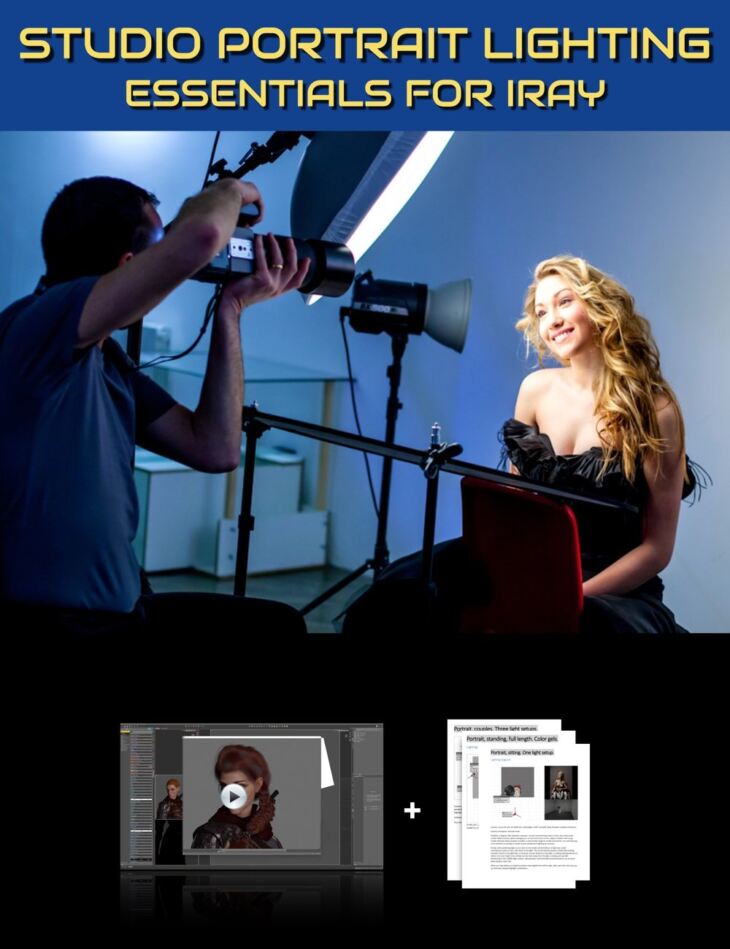
Studio Portrait Lighting Essentials for Iray is a tutorial created by Digital Art Live Geekatplay and published on Daz 3D. Inside the archive you get 76 items, including Studio Portrait Lighting Essentials for Iray, Total Running Time: 2 Hours 40 Minutes, Total File size: 1.28 GB.
Vladimir Chopine AKA “GeekAtPlay” is a professional studio photographer, who has built lighting setups for hundreds of portrait photoshoots. He also has provided training for many years to professional digital artists all over the world and recognizes lighting to be crucial in creativity. In this video tutorial set, Vladimir introduces the basics of real-world lighting, how it works, and then parallels this with lighting in DAZ Studio using Iray for portrait lighting setups. He teaches about these principles: This product includes a searchable video set with a duration of just over 1 hour plus a 22 PDF guide on lighting setups for various portrait situations. This includes a bonus Portrait Lighting workshop (1.5 hours) where a selection of DAZ Studio artists showed: Sample Video: Introduction Presenter: Vladimir Chopine The founder of Geekatplay and with a background in film production and computer sciences, 3D graphics have long provided a passionate pursuit for Vladimir, with a particular specialism in VUE. Serving 3D digital artists across the world, he has created over 2000 tutorials on VUE, The PlantFactory, Photoshop, Terragen, World Machine, and a whole range of digital art software. Originally from Moscow, he lives with his wife Ami Chopin, who is a professional writer in Salt Lake City, Utah.
What’s included
- Studio Portrait Lighting Essentials for Iray
- Total Running Time: 2 Hours 40 Minutes
- Total File size: 1.28 GB
- Video 1: Introduction to Portrait Lighting: 5 minutes (.MP4) 00:00 What is a portrait?
- 00:01 Starting from a minimalist position
- 00:02 Dozens of portrait examples from Vladimir’s portfolio.
- 00:03 It is getting easier for portrait artists
- 00:04 Telling a story with a portrait
- Video 2: Understanding how lighting works: 31 minutes (.MP4) 00:00 How the 3D real world is represented in 2D
- 00:02 How luminosity provides a sense of 3D and depth.
- 00:04 Two plain characters rendered in DAZ – one with high specular lighting
- 00:06 Perspective lines example with a DAZ character in a library set
- 00:08 The importance of Parallax
- 00:10 Why depth of field matters for portraits
- 00:12 Why saturation helps with depth
- 00:14 Graduated examples of going from 2D to 3D perceived objects
- 00:16 Definitions and examples: Luminosity, Reflection, and Contrast.
- 00:19 Colour and luminosity information in a portrait.
- 00:21 Gradients and contrast. Precision of sharpness/softness for lighting.
- 00:22 Types of light sources in DAZ Studio
- 00:24 Hard shadows and the effects they provide
- 00:25 Sphere primitive demonstrating soft and shadows
- 00:28 Special lighting modifiers for point lights shown in Set.a.light 3D
- Video 3 : Creating portrait lighting sources in DAZ Studio: 32 minutes (.MP4) 00:00 Light types in DAZ Studio – when to use them.
- 00:02 More on Set.a.light 3D lighting modifiers
- 00:04 Why most light types in DAZ Studio provide a harsher light.
- 00:05 About soft box light modifiers
- 00:07 In DS – using side by side view, with wire shaded for one view.
- 00:09 A word on posing
- 00:11 How luminosity influences shape
- 00:13 Adding a point light and setting the luminosity
- 00:15 The effects of a spotlight. Create a new light source with a primitive plane.
- 00:16 Pros and cons with light panels.
- 00:18 Switch emission color
- 00:20 The result of soft box lighting
- 00:22 Rembrandt lighting on subject.
- 00:23 Adding in environmental lighting
- 00:25 Move point light to provide rim lighting.
- 00:26 About light geometry and how to change it.
- 00:28 Render test
- 00:30 Adjustment ideas
- Bonus video: portrait character lighting workshop: 90 minutes (.MP4) 00:00 Introduction
- 00:03 Four classic portrait lighting types
- 00:11 Peter von Stackelberg using stock DAZ spotlights and ghost lights
- 00:13 Character lit with a single light
- 00:14 Tips on lighting middle aged skin
- 00:16 Portrait background hinting at story context.
- 00:20 Daniel Wright realistic portraits
- 00:21 About catchlights
- 00:23 Using blue lighting
- 00:24 Fain – cyberpunk portrait with emissive body art.
- 00:28 Fantasy portrait – unflattering light for antagonist.
- 00:32 Karen Williams- Low level light for portraits
- 00:38 Lighting a male figure
- 00:40 Gobo lighting on a figure
- 00:43 Heavy shadowing on a character creating drama
- 00:44 Leyla Munteanu – fashion lighting set
- 00:52 Rotate the character rather than the lights and camera.
- 00:55 Lighting bringing out texturing
- 00:56 Squint at an image to figure out the highlights
- … and 16 more items in the archive.
Specifications
- Source: Daz 3D
- Software / install: DIM Manual Install
- SKU: 86762
- Artist: Digital Art Live Geekatplay
The file is mirrored on 3 hosting services; a free account is required to download.