Asset Browser
Asset Browser is a tool created by AdamSS and published on RenderHub. The package is distributed through the download mirrors below.
Asset Browser for DAZ Studio
A modern content browser that’s finally pleasant to use
Asset Browser is a native plugin for DAZ Studio 4.x that replaces the cramped stock content pane with a fast, beautiful, card-based browser. Find, preview, and apply your assets in one or two clicks – no clutter, no extra windows.
Why you need it
DAZ’s built-in library is slow and awkward: tiny previews, confusing navigation, no real organization. Asset Browser makes working with content a pleasure – a clean dark interface, large previews, instant search, and smart asset applying.
Key features
Card grid with previews
Large thumbnails, asynchronous loading (the UI never freezes), three card sizes plus a list view. Generation badges (G8 / G8.1 / G9) right on the cards.
Smart apply
The plugin reads each asset’s real type from the file itself: full scenes open as new, while presets, clothing, poses, and materials merge cleanly into your current scene. No more accidentally wiped scenes.
Organize it your way
Folder tree and flat navigation that remembers your last-open folder
Folder customization: set a custom background color, text color, opacity, and icon (30 themed icons — characters, poses, locations, clothing, lights, cameras, and more)
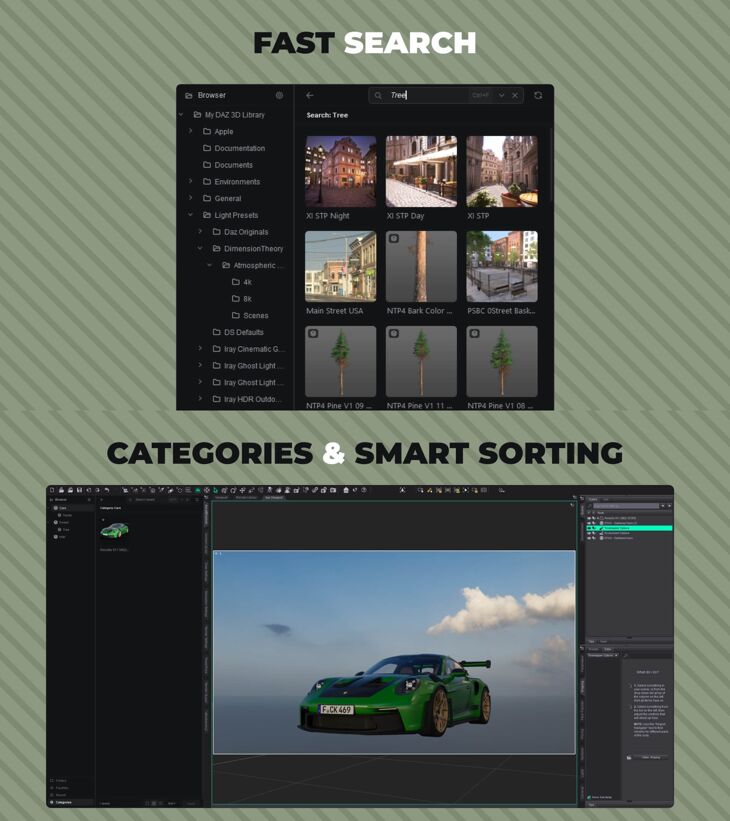
Categories, Favorites, and Recent – all shown as a full card grid
Live search & sorting
Search-as-you-type with query history. Correct sorting by name, date, and size — even in folders with thousands of files.
✨ New-content tracking
Installed a new pack? It shows up in the browser instantly, with no manual refresh — flagged with a “NEW” badge on cards and a dot on folders. Clear everything with a one-click “Mark all seen.”
⚡ Fast workflow
Single click to select and preview, double click to apply. Drag-and-drop, multi-select, context menu, and batch-apply multiple assets at once.
Highlights
Native C++ plugin — fast and responsive, even on large libraries
Modern “quiet dark” interface with crisp Tabler icons
Subtle, non-distracting styling — the focus stays on your content, not the UI
Compatibility
DAZ Studio 4.x (Windows, 64-bit).
Version:
V0.1
– Show in Folder ( Right-click on the card/row → Show in Folder )
Specifications
- Source: RenderHub
- File format: Daz Studio DUF
- Software / install: Daz Studio
- SKU: 343577
- Artist: AdamSS
It is available through 7 mirrors. Registration is free and takes a moment.