Light Vignettes HDRIs and Render Settings
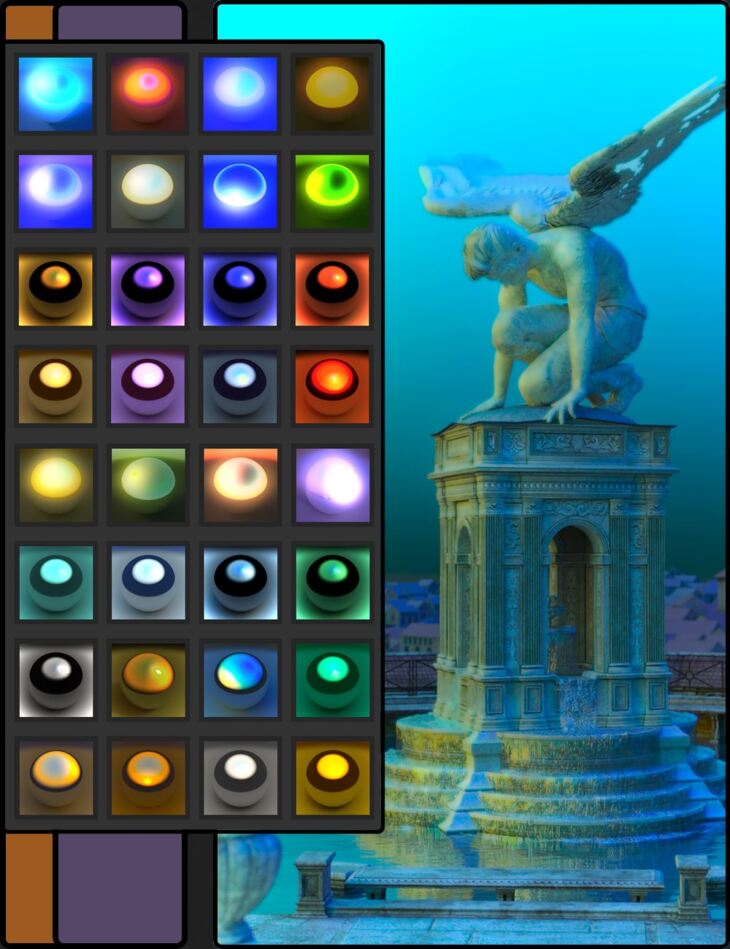
Marshian released Light Vignettes HDRIs and Render Settings on Daz 3D. The download holds 77 items, among them Light Vignettes HDRIs and Render Settings LV Fade Aqua, LV Fade BloodOrange, LV Fade Blue.
Light Vignettes is a set of HDRIs and render settings that push illumination effects into a wide range of moods and themes. In the promos, you’ll see horror, vintage, fantasy, and science fiction. The 32 presets explore three main areas: multiple color fades, bright skies with vignettes, and subtle soft skies in a wide range of colors. The 32bit HDRIs create different levels of shadow softness. There are 43 utilities that add and remove effects like the width of vignettes, exposure, dome rotation, bloom, and saturation. As multiple utility presets can be added to one scene, the results can be wonderful and unexpected. If you go too far and experiment with too many effects, there are presets that remove them as well.
What’s included
- Light Vignettes HDRIs and Render Settings LV Fade Aqua
- LV Fade BloodOrange
- LV Fade Blue
- LV Fade DarkOrange
- LV Fade Gold
- LV Fade Orange Green
- LV Fade Orange
- LV Fade Pink Blue
- LV Fade Pink
- LV Fade Sepia
- LV Fade Sunrise (Rotate Dome if needed)
- LV Fade Yellow Green
- LV Sky Aqua
- LV Sky Blue
- LV Sky Bright Blue
- LV Sky Bright Green
- LV Sky Bright Orange
- LV Sky Bright Pink
- LV Sky Bright Purple
- LV Sky Bright Red
- LV Sky Bright White
- LV Sky Bright Yellow
- LV Sky EarlyMorning
- LV Sky Green
- LV Sky Orange
- LV Sky Pink
- LV Sky Purple
- LV Sky Red
- LV Sky Sunrise Misty
- LV Sky Sunset
- LV Sky White
- LV Sky Yellow
- LV soft Bloom and Vignette
- LV Utility Bloom OFF
- LV Utility Bloom ON
- LV Utility Center Dark
- LV Utility Center Light
- LV Utility Center Medium
- LV Utility Center Very Light
- LV Utility Dome Ground OFF
- LV Utility Dome Ground ON
- LV Utility Dome Rotation 0
- LV Utility Dome Rotation 100
- LV Utility Dome Rotation 150
- LV Utility Dome Rotation 200
- LV Utility Dome Rotation 250
- LV Utility Dome Rotation 300
- LV Utility Dome Rotation 50
- LV Utility Exposure !Default 13
- LV Utility Exposure Dark 15
- LV Utility Exposure Darkest 17
- LV Utility Exposure Light 11
- LV Utility Exposure Lightest 9
- LV Utility Normalize
- LV Utility Saturation .2
- LV Utility Saturation .5
- LV Utility Saturation .7
- LV Utility Saturation 0
- LV Utility Saturation 1.2
- LV Utility Saturation 1.5
- … and 17 more items in the archive.
Specifications
- Source: Daz 3D
- File format: DUF
- Software / install: Daz Connect DIM Manual Install
- SKU: 87896
- Artist: Marshian
It is available through 3 mirrors. Registration is free and takes a moment.