Skin Workshop Tutorial
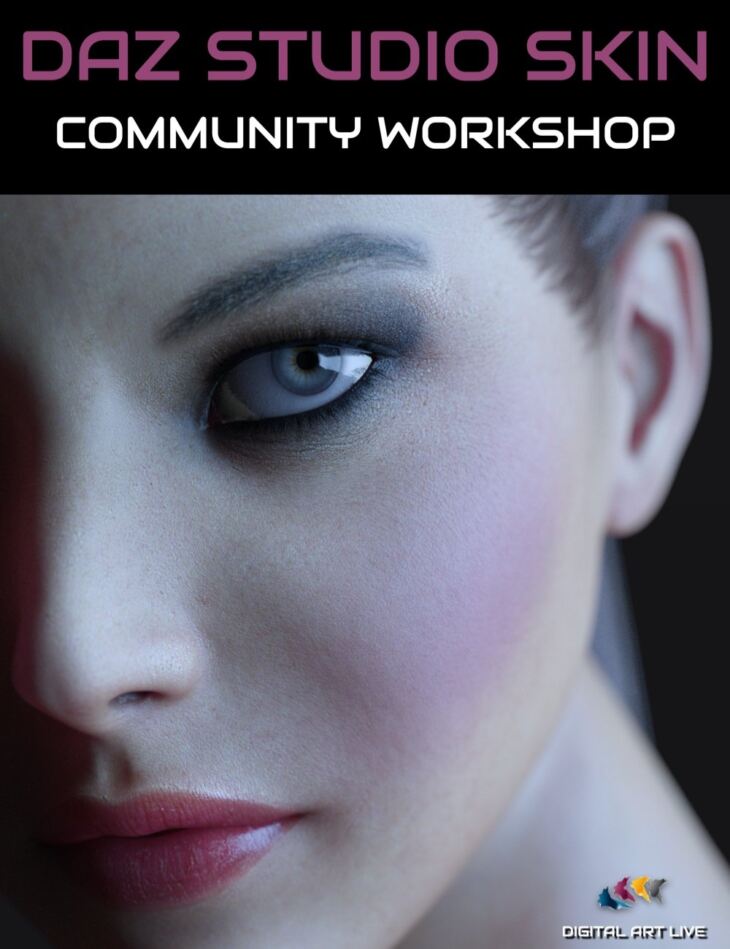
From Digital Art Live comes Skin Workshop Tutorial, a tutorial available on Daz 3D. Inside the archive you get 39 items, including Skin Workshop Tutorial, Total Running Time: 01h 20m 47s, Total File size: 661 MB.
Skin shaders can really enhance a character and provide a stunning look. But what happens when you need to swap a skin texture to another character? What are the best resources for skin shaders? How can you adapt or edit a shader to fine-tune how your character looks? In this community workshop, Skin Workshop Tutorial, we brought together the collective minds of Daz Studio artists to share valuable experiences on skin materials and shaders. We looked at: This tutorial video product includes an MP4 video file to download. There’s also a version of the video with an integrated search of the transcript and captions. Try out this sample video: About Digital Art Live We’ve been connecting, educating, and inspiring digital artists in our weekly live webinars since 2013. Look out for our live events at the Digital Art Live website and in our community forum. Product cover artwork by Anestis Skitzis.
What’s included
- Skin Workshop Tutorial
- Total Running Time: 01h 20m 47s
- Total File size: 661 MB
- Chapter List: 00:00 Introduction
- 00:02 Bob – Genesis 8.1 eyes
- 00:04 Karen Williams – close up artwork of a face half submerged in water (Dane G8 male)
- 00:06 Stubble on males
- 00:07 Trevor Hancock – Placing a different skin on Natia G8F from Chrissy
- 00:09 When using different skins on characters doesn’t work.
- 00:10 Using older skin from Lyra G8F on young Lyra G8F character
- 00:12 Older and younger skin properties discussion
- 00:13 Darkening a skin tone using postwork
- 00:15 Skin tone testing and comparisons
- 00:18 Chris Shaw – Creation of a Goblin minion – G8M used body morphs and then applied Hell Ambassador G8M skin textures
- 00:20 Will skin maps work on a morphed character? Demonstration on this.
- 00:25 HDR maps challenge of using them close to the ground
- 00:26 Don’s question on LIE layers : “ One of the really confusing situations happens when you begin applying LIE layers and some affect areas beyond their design.”
- 00:28 Tiffanie’s answer to this and tips on LIE
- 00:31 Tiffanie : Fantasy skins artwork
- 00:35 Discussion on the fantasy skins product and the amazing effects it produces
- 00:38 Dan Burke : Orc character G8M – bump layer changed. Affinity Photo used to change the textures and colours.
- 00:41 About close ups
- 00:42 About Skin Manager (V3Digitimes)
- 00:43 Gloss on skin
- 00:45 Bob Keck – “One with nature” – green skinned character artwork
- 00:47 Karen Williams : “Dolb does dance” : great skin and body hair
- 00:49 Dan Burke showing a morphed character using Dolb HD skin.
- 00:50 Mary’s dolb character artwork
- 00:52 Dolb render by Karen Williams
- 00:53 Trevor Hancock : Blue Ollie
- 00:54 Luke’s close up render of Chamelon Rose
- 00:57 Slater – using his favourites menu to select favourite shaders. iSource textures
- 00:59 Sunlight with bloom – same skin under different lighting conditions
- 01:05 Comparing shaders on the same character.
- 01:10 Iray sweat (wet look) settings
- 01:14 Shader preset save options
- Software Used: Daz 3D
- File Types: MP4
Specifications
- Source: Daz 3D
- Software / install: DIM Manual Install
- SKU: 81989
- Artist: Digital Art Live
It is available through 9 mirrors. Registration is free and takes a moment.