Mesh to Volume… and Back
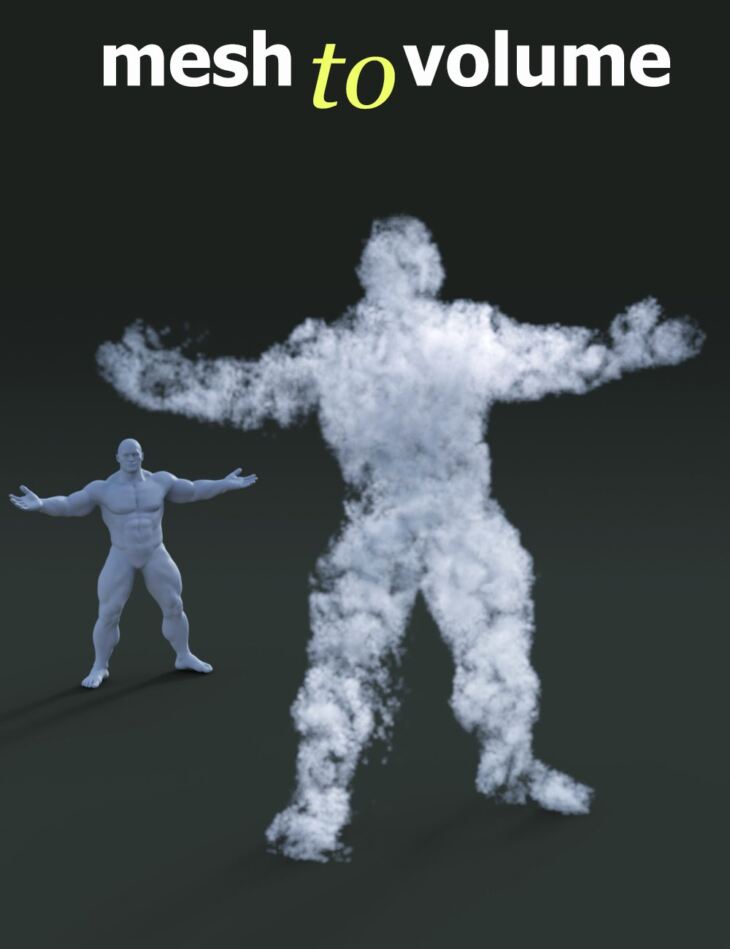
From Alessandro_AM comes Mesh to Volume… and Back, a tool available on Daz 3D. It contains 2 files; the list begins with Mesh to Volume… and Back: (.DUF, .DSE) Mesh2Volume, Material: VolumeBaseShader.
Mesh to Volume… and Back is a one-click tool to convert any mesh to a volume directly in Daz Studio.
It works quickly and efficiently with every figure, prop, or geometry you throw at it. And it comes with customizable noise effects and voxel sizes to allow infinite possibilities in your renders.
And back! That’s right, you can even convert the volume back to geometry creating an incredible variety of particle effects, applying any shader you like.
It’s a game-changer and the ultimate tool you need to fully experience Daz Studio 4.20+ volumetric features!
All volumes produced are openVDB compliant and can be used in other 3D applications like Blender, Houdini, Cinema 4D, Maya, and more.
Designed for Daz Studio 4.20+, Windows only.
What’s included
- Mesh to Volume… and Back: (.DUF, .DSE) Mesh2Volume
- Material: VolumeBaseShader
Specifications
- Source: Daz 3D
- File format: OBJ, DUF
- Software / install: Daz Connect DIM Manual Install
- SKU: 85454
- Artist: Alessandro_AM
It is available through 3 mirrors. Registration is free and takes a moment.