How To Use the DAZ Studio Geometry Editor
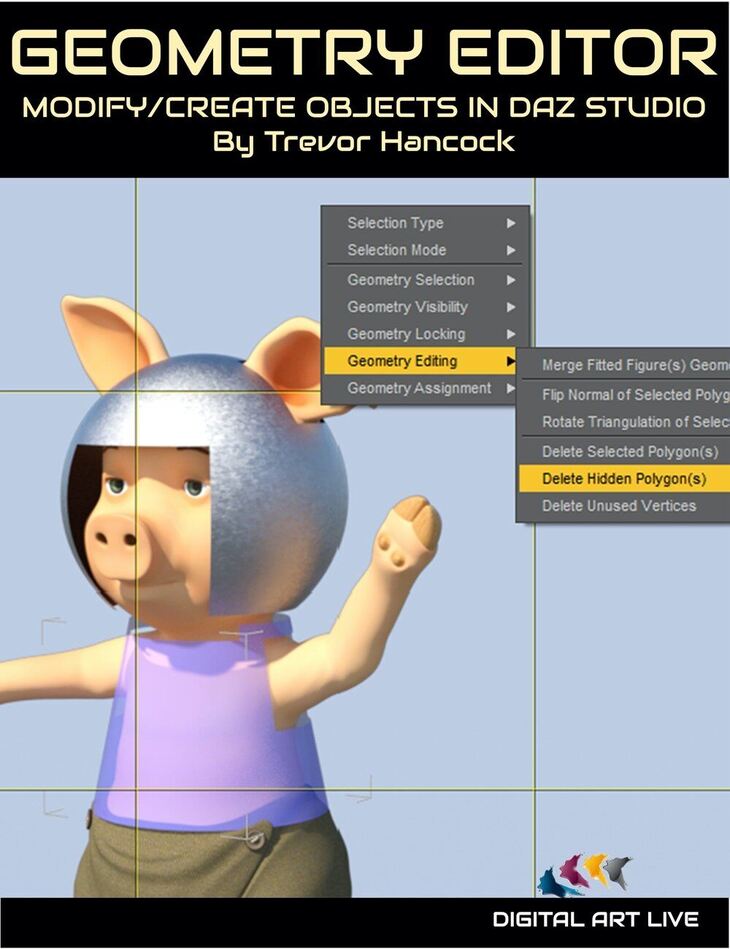
How To Use the DAZ Studio Geometry Editor is a tutorial created by Digital Art Live and published on Daz 3D. It contains 21 files; the list begins with How To Use the DAZ Studio Geometry Editor: Geometry Editor: Modify and Create Objects in DAZ Studio, Tutorial Set Total Running Time :1 hours and46 minutes, Geometry Editor Introductory Session: (.MP4) Running time: 29 minutes.
Some DAZ Studio users haven’t heard of the inbuilt Geometry Editor, and some think it’s too complex to use. But it’s all there in DAZ Studio, and it really isn’t so scary! In this tutorial, Trevor Hancock shows you several practical examples of what can be done with the Geometry Editor, and explains its features. Learn how to use this often underused and essential tool, to do amazing things with your 3D models. Here are some challenges in DAZ Studio that can be solved by the Geometry Editor: Solution: It can! The answer? You’ve guessed it – DAZ Studio Geometry Editor But you don’t need to have a “problem” to use it!
What’s included
- How To Use the DAZ Studio Geometry Editor: Geometry Editor: Modify and Create Objects in DAZ Studio
- Tutorial Set Total Running Time :1 hours and46 minutes
- Geometry Editor Introductory Session: (.MP4) Running time: 29 minutes
- What is the DAZ Studio Geometry Editor?
- Visual overview
- Some useful actions
- Case Study 1 – Instant Poncho
- Geometry Editor Main Session: (.MP4) Running time: 1 hour and 17 minutes
- The floating menu
- Keyboard and mouse actions
- How and what to select
- Hiding and Deleting
- Face Groups and Surfaces
- Using Tool Settings for more powerful geek-like control
- Some useful Hints and Tips Case Study 2 – Useless single-surface dummy lamp? Make (only) the bulb glow!
- Case Study 3 – The breaker’s yard – making new objects from parts of models
- Case Study 4 – Armour for the Little Pig – using primitive shapes
- Case Study 5 – Single-surface clothing? Split, shade & break into separate items!
- Case Study 6 – Putting spikes on a smooth hedgehog (only in PDF document)
- DAZ Studio Geometry Editor tutorial notes (.PDF) Case Studies, Geometry Editor Features, and Resources Guide (20 pages)
- DAZ Studio version with dForce is assumed for Instant Poncho Case Study. Some of the Case Studies require prebuilt 3D models, which you can obtain from the DAZ Shop.
Specifications
- Source: Daz 3D
- Software / install: Daz Connect DIM Manual Install
- SKU: 79188
- Artist: Digital Art Live
It is available through 9 mirrors. Registration is free and takes a moment.