Instancify
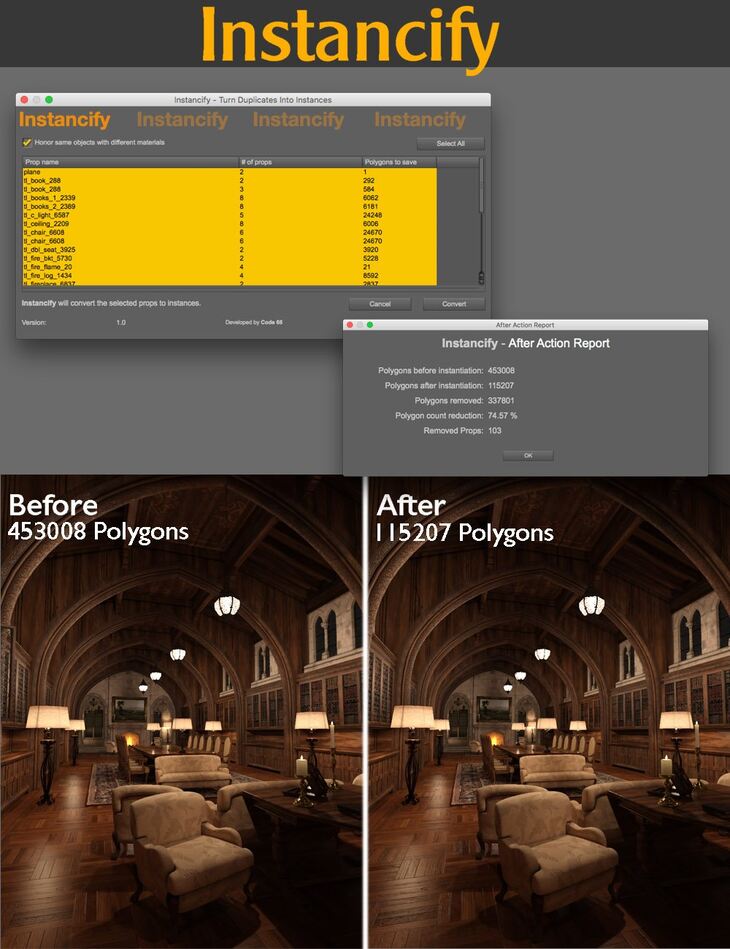
Instancify is a tool created by Daz Originals Code 66 and published on Daz 3D. Inside the archive you get 3 items, including DAZ Studio Scripts: Instancify manual (.DSA), Instancify (.DSE), Documentation:(.PDF) Instancify Manual.
Instancify is a DAZ Studio script that uses instancing to reduce the polygon count of environments that has been built and setup using multiple copies of the same prop, with or without differences in the material setup. It does not try to reduce the polygon count on the items themselves, but by finding duplicates and use instances instead of duplicates of props or figures. It has been tested with, and does work with a majority of the sets available at the DAZ Store, with some exceptions, which are clearly stated in the 14 page included PDF manual. The script will analyze the scene and if the scene does already contain instances, or use some other techniques which prevent it from work properly, the script will clearly state why it cannot continue. The reason to do polygon reduction is foremost to speed up the viewport, and in some cases also speed up rendering. Instances are much lighter on the viewport and will make the scene easier and faster to navigate. For render where the environment itself is just a background, out of focus, the polygon reduction can be even greater if you let it ignore the same props using different materials, a technique often used to avoid the duplicate look, but will not matter if the environment is well out of focus. Take your DAZ Studio experience to the next level with Instancify, and work easily with scenes that normally could bring your viewport to a slowdown.
What’s included
- DAZ Studio Scripts: Instancify manual (.DSA)
- Instancify (.DSE)
- Documentation:(.PDF) Instancify Manual
Specifications
- Source: Daz 3D
- Software / install: Daz Connect DIM Manual Install
- SKU: 73789
- Artist: Daz Originals Code 66
It is available through 3 mirrors. Registration is free and takes a moment.