Cloning Facility
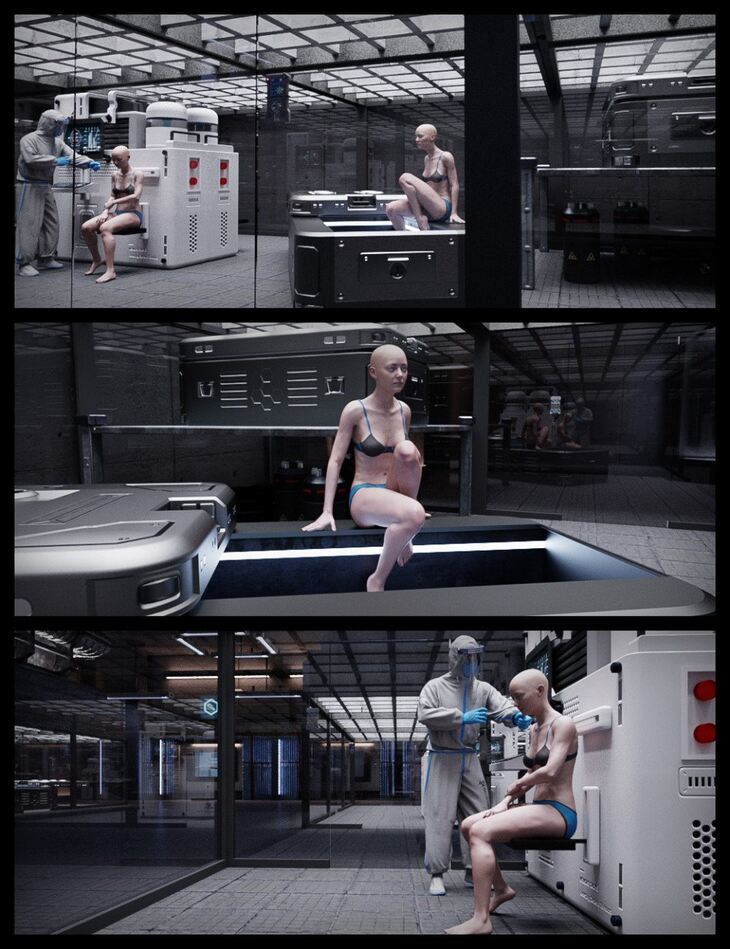
Cloning Facility is a environment created by Studio360 and published on Daz 3D. It contains 68 files; the list begins with Cloning Facility, CF Hallways Cyberpunk, CF Hallways.
It’s time to send in the Clones! The Cloning Facility is a large and detailed environment that includes 3 separate rooms with mostly standalone props if you decide to rearrange. There are 6 ready to load scenes – 3 with standard lighting and 3 with cyberpunk-themed lighting! Test out your clones abilities against each other in the Arena, included in the Warehouse. Make detailed scans or adjustments to your clones or order parts in the Office Wing and transport your clones from the Office Wing to the Warehouse with the Hallway scene. All scenes can be loaded to make a clear path between the rooms. The Cloning Facility is ready to render, so it’s easy to load your characters and get great images right away. Acquire the Cloning Facility and make your fantasies come true! All promos are rendered in Daz Studio. Characters and clothing in promos are not included.
What’s included
- Cloning Facility
- CF Hallways Cyberpunk
- CF Hallways
- CF Office Wing Cyberpunk
- CF Office Wing
- CF Warehouse Cyberpunk
- CF Warehouse
- Rigged Props in Scenes: CF Robotic Arm Pose Controls: Robotic Arm All Retract-Extend
- Robotic Arm Base Rotate
- Robotic Arm Bend 1 Side-to-Side
- Robotic Arm Bend 2 Side-to-Side
- Robotic Arm Bend 3 Side-to-Side
- Robotic Arm Bend 4 Side-to-Side
- Robotic Arm Grip Left Open-Close
- Robotic Arm Grip Right Open-Close
- Robotic Arm Grips Open-Close
- Robotic Arm Part 2 Extend-Retract
- Robotic Arm Part 3 Extend-Retract
- Robotic Arm Part 4 Extend-Retract
- Robotic Arm Slide
- Robotic Arm Socket Extend-Retract
- Robotic Arm Syringe Extend-Retract
- Robotic Arm Twist 1 Rotate
- Robotic Arm Twist 2 Rotate
- Robotic Arm Twist 3 Rotate
- Robotic Arm Twist 4 Rotate
- Robotic Arm Welding Tip Extend-Retract
- CF Pod Pose Controls: Pod Door Left Open-Close
- Pod Door Right Open-Close
- Pod Doors Open-Close
- CF Crate Pose Controls: Crate Door Open-Close
- Crate Handle 1 Up-Down
- Crate Handle 2 Up-Down
- Crate Handle 3 Up-Down
- Crate Handle 4 Up-Down
- Crate Platform Slide Out-In
- Crate Top Slide Open-Close
- CF Glass Wall Door Pose Controls: CF Glass Door Open-Close
- CF Office Door Pose Controls: Office Door Left Open-Close
- Office Door Right Open-Close
- Office Doors Open-Close
- CF Workstation Pose Controls: Injector 1 Extend-Retract
- Injector 1 Rotation
- Injector 1 Slide
- Injector 1 Tube Extend-Retract
- Injector 2 Extend-Retract
- Injector 2 Rotation
- Injector 2 Slide
- Injector 2 Tube Extend-Retract
- Keyboard 1 Raise-Lower
- Keyboard 2 Raise-Lower
- Seat 1 Raise-Lower
- Seat 2 Raise-Lower
- CF Hallway Pose Controls: Hallway Door 1 Left Open-Close
- Hallway Door 1 Right Open-Close
- Hallway Door 2 Left Open-Close
- Hallway Door 2 Right Open-Close
- Hallway Doors Open-Close
- Hallway Doors 1 Open-Close
- Hallway Doors 2 Open-Close
- … and 8 more items in the archive.
Specifications
- Source: Daz 3D
- File format: DUF
- Software / install: Daz Connect DIM Manual Install
- SKU: 73157
- Artist: Studio360
Download links for 3 mirrors are listed below.