Artistic Lighting Kit: Intensity
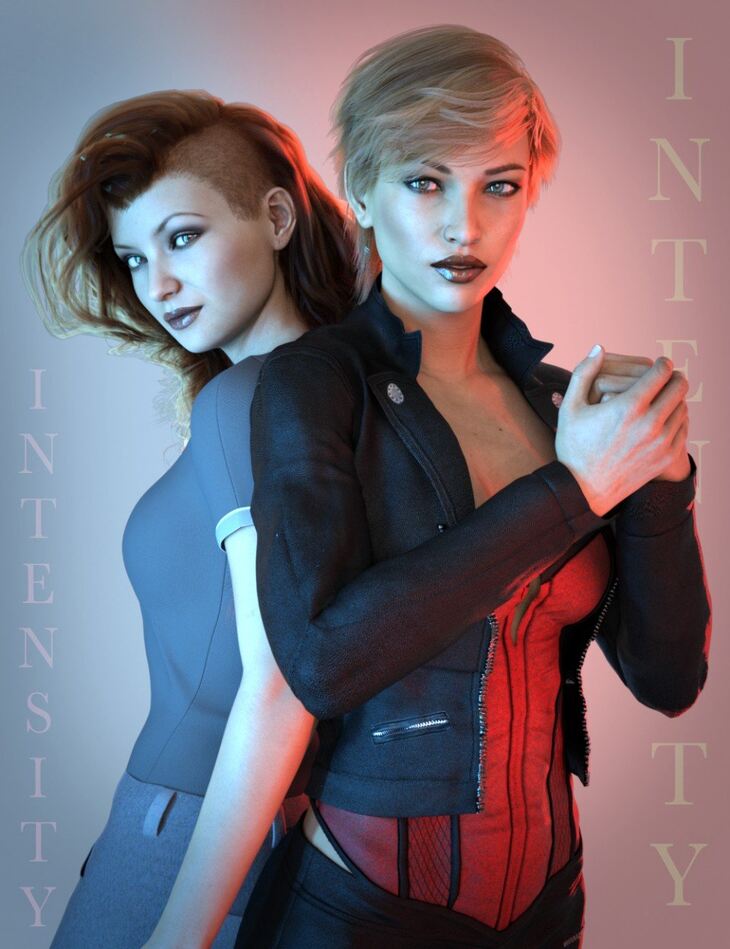
Quixotry released Artistic Lighting Kit: Intensity on Daz 3D. Inside the archive you get 78 items, including Artistic Lighting Kit: Intensity, Scenes: ATK Base Scene, ATK Bonus Scene 01.
Create dramatic portrait lighting with splashes of vibrant color with Artistic Lighting Kit: Intensity. This set contains lights, cameras, and a prop specially set up to help you create beautiful portrait shots of your characters with a minimum amount of effort. There are twenty basic colored environments, key and fill lights, preset cameras, and a light prop. The color and strength of the light coming from the prop is easy to adjust with the included presets. The presets for environment intensity and tone mapping make changing the overall look of your render and fine-tuning the highlights and shadows in the scene simple. One preset base scene is included that can serve as a starting point if you need one, or you can add the prop and lights into a new or existing scene and build your lighting setup from the ground up. As a bonus, the scenes that were used to create the promotional art for this product are also included. Simply add the figure of your choice to complete the scene. Intensity is the perfect light set for your most colorful, dramatic renders!
What’s included
- Artistic Lighting Kit: Intensity
- Scenes: ATK Base Scene
- ATK Bonus Scene 01
- ATK Bonus Scene 02
- ATK Bonus Scene 03
- ATK Bonus Scene 04
- ATK Bonus Scene 05
- ATK Bonus Scene 06
- ATK Bonus Scene 07
- ATK Bonus Scene 08
- ATK Bonus Scene 09
- ATK Bonus Scene 10
- ATK Bonus Scene 11
- Props: ATK Light Bar 5 Brightness Settings
- 20 Color Settings
- 1 Plain Light Setting
- 2 Striped Light Settings
- ATK Light Bar Visible/Invisible
- Cameras: ATK Camera A
- ATK Camera B
- ATK Camera C
- ATK Camera D
- Lights: ATK Key Light Key Light Position 01
- Key Light Position 02
- ATK Fill Light Fill Light Position 01
- Fill Light Position 02
- ATK Eye Light
- Render Settings: ATK Dome Off (Default)
- ATK Dome On
- ATK Intensity Environment 01
- ATK Intensity Environment 02
- ATK Intensity Environment 03
- ATK Intensity Environment 04
- ATK Intensity Environment 05
- ATK Intensity Environment 06
- ATK Intensity Environment 07
- ATK Intensity Environment 08
- ATK Intensity Environment 09
- ATK Intensity Environment 10
- ATK Intensity Environment 11
- ATK Intensity Environment 12
- ATK Intensity Environment 13
- ATK Intensity Environment 14
- ATK Intensity Environment 15
- ATK Intensity Environment 16
- ATK Intensity Environment 17 ATK Intensity Environment 18
- ATK Intensity Environment 19
- ATK Intensity Environment 20
- ATK Environment Intensity 0.25
- ATK Environment Intensity 0.50
- ATK Environment Intensity 0.75
- ATK Environment Intensity 1.00
- ATK Environment Intensity 1.25
- ATK Environment Intensity 1.50
- ATK Environment Intensity 1.75
- ATK Environment Intensity 2.00
- Tone Mapping Settings: ATK Burn Highlights Default
- ATK Burn Highlights High
- ATK Burn Highlights Low
- ATK Burn Highlights Medium
- … and 18 more items in the archive.
Specifications
- Source: Daz 3D
- File format: DUF
- Software / install: Daz Connect DIM Manual Install
- SKU: 71965
- Artist: Quixotry
It is available through 3 mirrors. Registration is free and takes a moment.