Auto Focus Suite
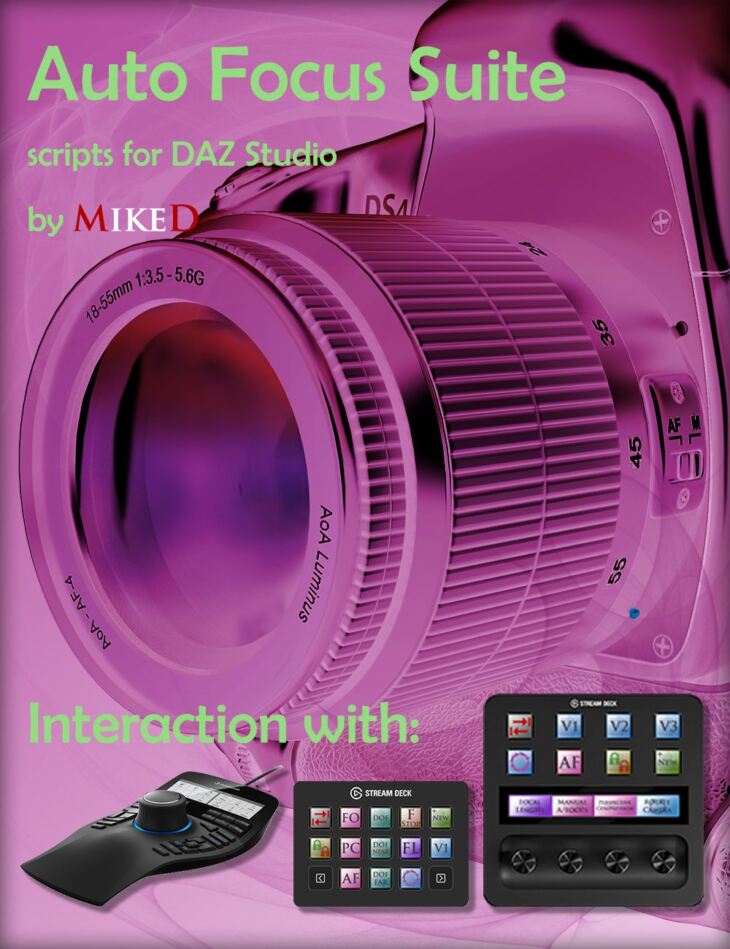
Auto Focus Suite is a tool created by MikeD and published on Daz 3D. The package ships 52 files, starting with Auto Focus Suite, Scripts: Add to menu and to toolbar, Auto Focus Suite manual.
Auto Focus Suite includes 45 scripts that can make your work easier when you use any camera function for building a scene or setting a render. It includes 23 major scripts and 22 auxiliary scripts. The scripts were originally created to control some of Daz Studio’s camera functions by using the 3DConnexion Space Mouse ® Enterprise edition, Elgato Stream Deck classic (15 keys), and Elgato Stream Deck Plus devices, but they can be used as standalone applications even without any of these devices or with any other console having programmable keys. A custom 3DConnexion settings file is also included, so you can easily import the settings in your Space Mouse ® Enterprise edition device and 2 profile files for interaction with Elgato Stream Deck devices! The first script of the package adds/removes the other scripts of the product into/from the menu and into/from a toolbar for easy access. The second script cycles through the 3DConnexion Mouse settings so it can be used for controlling the Orbit Camera, Rotate Camera or Transform Scene Item settings. The next three scripts control the DOF (Depth of Field). One of them sets the current camera’s DOF On/Off without the need to select the camera and search into its properties and the other two turn the “Near DOF Plane Visibility” and the “Far DOF Plane Visibility” On or Off. Another script creates a camera using the current view. It lets you choose the focal length for the new camera from a drop-down box. Τhere are eight other complementary scripts as presets for the most common focal lengths (28mm, 35mm, 50mm, 65mm, 80mm, 105mm, 150mm, 200mm) that are used mostly with the 3D Mouse and the Elgato Stream Deck devices or with any other console having programmable keys.. The following script is used to set the current camera’s Focal Length without the need to access the camera properties pane. There are 3 additional scripts used exclusively with the Elgato Stream Deck devices or with any other console having programmable keys, that give the same functionality to them. A group of three scripts saves a custom view (Custom View 1, Custom View 2, and/or Custom View 3) and the following group of three scripts restores these custom views with a single click! You can overwrite any custom view any time you want. The next three scripts are the flagships of the suite. The first of them focuses to the selected item. It calculates the Focal distance to the selected item, for the current camera in the viewport. Now you don’t have to struggle trying to focus on the eyes of your figure in your renders. Select the figure you want and use the script. If your selected item is not a figure it will focus on its center. The second script is the Auto Focus script. It has the same function as the Focus script, but it also tracks the item in the scene. If you change the position of the camera or the position of the selected item, the camera will always focus on the selected item. The third of them is the “Perspective Compression” script that can be used to make your frame wider or narrower and at the same time it moves the camera closer to, or further from the focused item leaving it at the same relative size in your frame. Additionally, there are two complementary scripts that add the “Perspective Compression” function to the Elgato Stream Deck Plus or to any other console having programmable keys.. You can also manually focus the current camera anywhere in the scene, using the Elgato Stream Deck Plus device using two auxiliary scripts about Focal Distance. Another script cycles through the custom cameras and the perspective one in your viewport selection. The two following scripts reset the tilting of the camera in the z axis and the tilting of the selected item in xz axis. These are extremely helpful when you accidentally have rotated the camera or the items and they are not parallel to the horizon! With these scripts you don&r
What’s included
- Auto Focus Suite
- Scripts: Add to menu and to toolbar
- Auto Focus Suite manual
- Product Support
- Auto Focus Suite Settings
- 3D Connexion Cycle settings
- Auto Focus on Selected Item
- Camera DOF far plane visibility on – off
- Camera DOF near plane visibility on – off
- Camera DOF on – off
- Create New Camera
- Custom Camera Create 028mm
- Custom Camera Create 035mm
- Custom Camera Create 050mm
- Custom Camera Create 065mm
- Custom Camera Create 080mm
- Custom Camera Create 105mm
- Custom Camera Create 150mm
- Custom Camera Create 200mm
- Custom View Camera Create 1
- Custom View Camera Create 2
- Custom View Camera Create 3
- Custom View Camera Select 1
- Custom View Camera Select 2
- Custom View Camera Select 3
- F-Stop Decrease
- F-Stop Increase
- F-Stop Show Current
- Focal Distance Decrease
- Focal Distance Increase
- Focal Length Decrease
- Focal Length Increase
- Focal Length Show Current
- Focus on selected Node
- Lock – Unlock selected Camera or Light
- Next Custom camera and perspective
- Perspective Compression
- Perspective Decrease Compression by 1
- Perspective Increase Compression by 1
- Reset current cameras Z tilting
- Reset selected Node XZ tilting
- Rotate Clockwise by 1
- Rotate Counterclockwise by 1
- Rotate Current Camera Clockwise
- Rotate Current Camera Counterclockwise
- Set F-Stop of current camera
- Set Focal Length of current camera
- Toggle Dock Areas Left and Right
- Device Files: MDAZStudio.xml
- MikeD 3D Connexion Mouse Settings for DAZ Studio.3dxz
- MikeD Auto Focus for Daz Studio 15 Keys.streamDeckProfile
- MikeD Auto Focus for Daz Studio Plus.streamDeckProfile
Specifications
- Source: Daz 3D
- Software / install: Daz Connect DIM Manual Install
- SKU: 89401
- Artist: MikeD
It is available through 3 mirrors. Registration is free and takes a moment.