Bullet Time : Multi Angle Camera Render Script and Tutorial Set
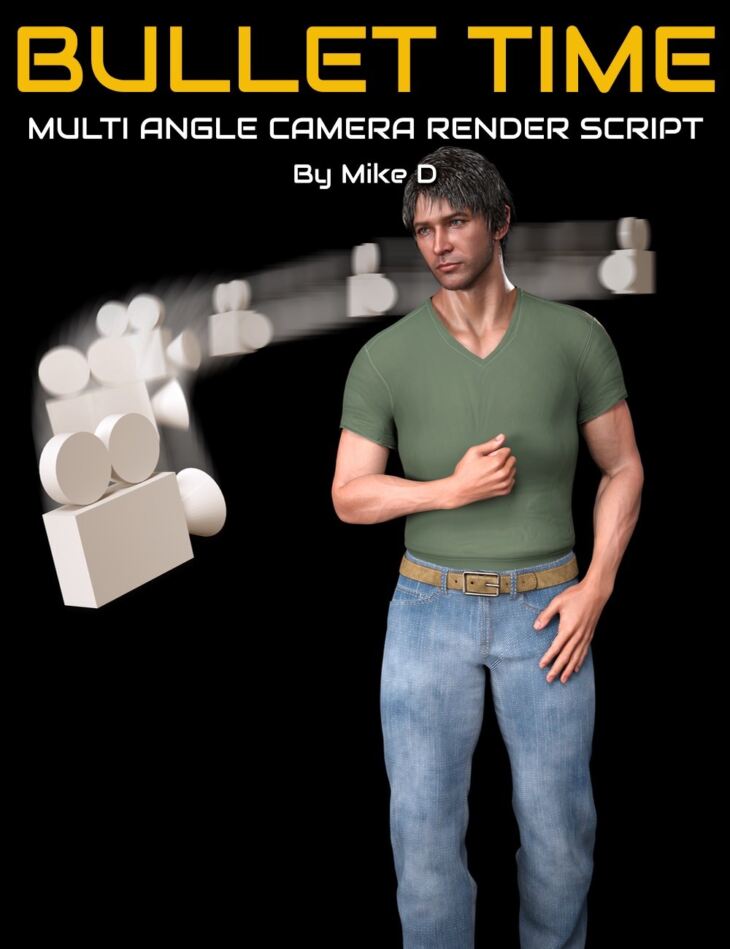
Digital Art Live MikeD released Bullet Time : Multi Angle Camera Render Script and Tutorial Set on Daz 3D. It contains 54 files; the list begins with Bullet Time : Multi Angle Camera Render Script and Tutorial Set, Multi Angle Camera Render Script Select angles of currently selected figure/asset will be rotated, Select format of render (PNG/JPG).
Introducing the “Multi-Angles Render” script for DAZ 3D: a practical tool for artists and creators who want to streamline their rendering process. Developed by Mike D, a contributor of numerous scripts to the DAZ 3D store, this script is all about efficiency and precision. It automatically rotates any selected figure through specified angles on the Y-axis, conducts renders, and saves them directly, all without user interaction. This product is not just a time-saving utility; it’s also an educational experience. It includes a detailed video tutorial that walks you through how the script was built, line by line. Whether you’re rendering simple scenes or complex promotional materials, this script can handle it all, from creating dynamic crowds (think billboards) to displaying a wearable from every angle. With the “Multi-Angles Render” script, you can focus more on creativity and less on the mechanics of rendering. What you’ll learn about script building from this project:- 1. Understanding Scene Hierarchy: Learning to navigate and manipulate the scene hierarchy, identifying root and child nodes. 2. Scripting Fundamentals: Grasping the basics of DAZ Script, including loops, conditionals, and function creation. 3. User Interface Design: Developing skills to create and manage custom user interfaces within DAZ Studio scripts. 4. File I/O Operations: Handling file input/output operations, including reading, writing, and checking for file existence. 5. JSON Configuration: Utilizing JSON for saving and loading script configurations, enhancing user experience. 6. Rendering Automation: Automating the rendering process through scripting, allowing for batch processing of multiple angles. 7. Signal Handling: Learning to use signals to manage render states and respond to user actions like a cancellation. 8. Debugging Practices: Developing effective debugging strategies to identify and resolve issues in the script. 9. Memory Management: Ensuring proper memory handling, especially when dealing with file objects. 10. Code Management: Regularly saving work to prevent data loss, and understanding the importance of code attribution and licensing. Recommendation If you haven’t scripted before, our product “Beginner’s Guide to Scripting in DAZ Studio” would be a good foundation for this tutorial set. Total Running Time and Video Format Total running time : 4 hours and 2 minutes 4 x MP4 videos at 1920 x 1080 HD resolution. Searchable versions of videos recorded : search on any keyword or phrase throughout the video set. Sample Video: About the presenter Mike D Mike lives in Greece. He studied Chemistry/Biochemistry at the University of Ioannina. At the same time, he joined the Students Photographic Club of the university. After graduation, he worked as a Chemistry and Biology teacher at high schools. As time passed by, he realized that the students preferred watching a visual representation of a topic rather than reading about it from an endless text. In order to meet their needs, he started learning about 3D and animation. It was October of 2016 when he decided to design and program a website containing all the visual work he had done so far. So, www.mikededes.com was born. It contains a lot of photos, timelapses, and 3D projects. At the same time, after watching a lot of webinars, mostly from Digital Art Live, various tutorials, and reading about advanced 3D techniques, he managed to create his own 3D commercial items. After a few months, he became a PA in DAZ 3D. In the next couple of years, he gradually reduced his teaching hours in order to devote himself to working as a full-time content creator for DAZ 3D. He has released a lot of products ever since. Now, his main arsenal includes 3D Max, ZBrush, UVLayout Pro, Substance Designer, Substance Painter, Photoshop, and Marvelous Designer. He likes to create Props, Clothes, and Environments, but mostly Scripts. “There is one or more scripts in almost every one of my prod
What’s included
- Bullet Time : Multi Angle Camera Render Script and Tutorial Set
- Multi Angle Camera Render Script Select angles of currently selected figure/asset will be rotated
- Select format of render (PNG/JPG)
- Select prefix of the filename and destination folder
- Video Part 1 – How the Script was built : 1 hour and 54 minutes (.MP4) 00:06 Importance of checking for the existence of a skeleton when selecting a node in DAZ Script.
- 00:07 Handling null objects and ensuring the root skeleton is correctly identified.
- 00:08 Distinguishing between root and child nodes in the scene hierarchy.
- 00:10 Usage of ‘while’ loops to navigate up the hierarchy to find the root node.
- 00:12 Utilizing the ‘isRootNode’ method to check if a node is the top-level node.
- 00:13 Implementing a boolean variable to control while loop execution.
- 00:15 Assigning the parent node if the current selection is not a root node.
- 00:17 Caution against infinite loops in while statements.
- 00:18 Saving the script frequently to avoid data loss.
- 00:19 Building the user interface dialog and copying code from examples.
- 00:21 Declaring working variables at the start of the script for efficiency.
- 00:23 Executing the script to test the dialog with only buttons.
- 00:24 Using arrays to specify angles for rendering.
- 00:25 Creating widget containers for organizing UI elements.
- 00:27 Assembling widgets for the destination folder path in the UI.
- 00:29 Discussing alternative layout options for custom widget placement.
- 00:31 Labeling in the UI for clear communication with users.
- 00:33 Incorporating a line edit for the destination path and setting it to read-only.
- 00:37 Implementing a button to browse for folders in the UI.
- 00:39 Organizing code for file name input in the UI.
- 00:41 Using horizontal groups to arrange labels and line edits horizontally.
- 00:44 Introducing combo boxes for file extension selection.
- 00:46 Dynamically filling combo box options from an array.
- 00:51 Challenging viewers to think about dynamically generating checkbox widgets.
- 00:53 Using group boxes to organize checkboxes and control layout with columns.
- 00:55 Storing checkbox widgets in arrays for dynamic UI generation.
- 00:58 Using for loops to create and manage an array of checkboxes.
- 01:00 Handling DAZ Studio crashes and the importance of saving work.
- 01:02 Restoring the script environment after a crash.
- 01:04 Ensuring checkboxes reflect the array of angles correctly.
- 01:07 Adjusting the user interface size for better visibility of path inputs.
- 01:09 Planning to use configuration files to save and load user settings.
- 01:11 Introduction to using JSON for configuration data.
- 01:14 Creating an object to hold configuration settings.
- 01:17 Getting the script’s current directory for default settings.
- 01:19 Debugging by printing out directory paths.
- 01:21 Planning to delete file objects to prevent memory leaks.
- 01:26 Saving configuration data to a file.
- 01:30 Explanation of JSON stringify and its arguments.
- 01:54 Recap of session progress and plans for the next session.
- Video Part 2 – How the Script was built : 57 minutes (.MP4) 00:00 Starting the session by reviewing previous work on the configuration object and UI dialog creation.
- 00:02 Discussing the creation of a function to load the configuration file from disk.
- 00:04 Changing the file opening mode from writing to reading to load configurations.
- 00:06 Using JSON parsing to convert the read data into a usable object.
- 00:09 Adding a check to see if the configuration file exists before attempting to load.
- 00:11 Handling the scenario where the configuration file does not exist by notifying the user and returning false.
- 00:14 Outlining the process for creating a new configuration file if one doesn’t exist.
- 00:17 Updating UI widgets with values from the configuration file.
- 00:20 Setting up the combo box to reflect the selected file extension from the configuration.
- 00:23 Connectin
Specifications
- Source: Daz 3D
- Software / install: DIM Manual Install
- SKU: 92722
- Artist: Digital Art Live MikeD
The file is mirrored on 8 hosting services; a free account is required to download.