DEEP Postwork : Complete Guide to Enhance your DAZ Studio Renders
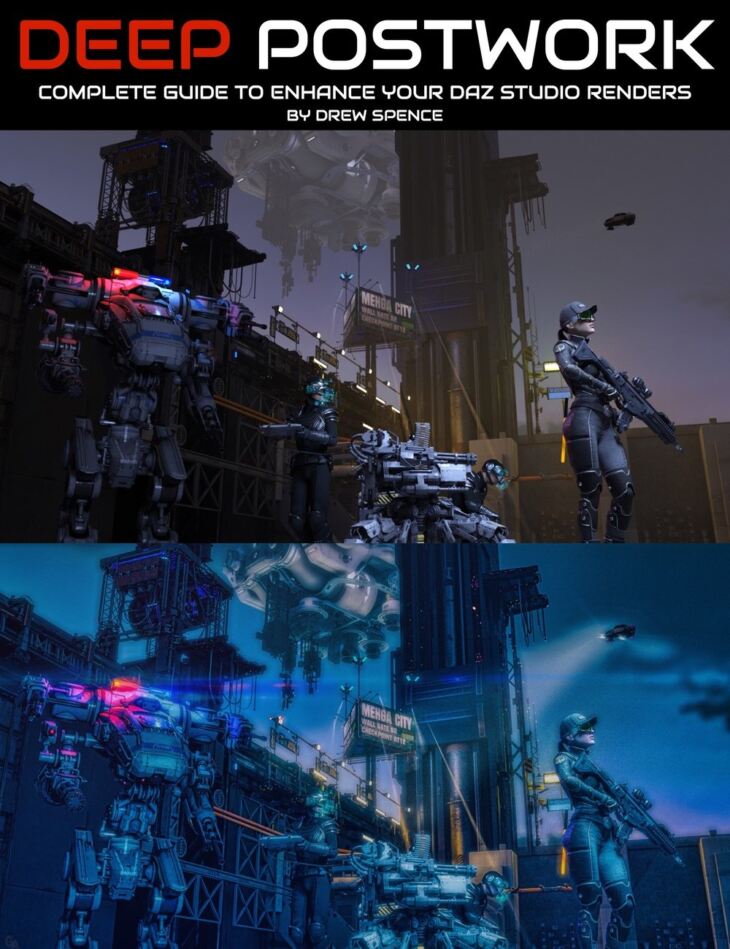
From Digital Art Live Griffin Avid comes DEEP Postwork : Complete Guide to Enhance your DAZ Studio Renders, a tutorial available on Daz 3D. It contains 50 files; the list begins with DEEP Postwork : Complete Guide to Enhance your DAZ Studio Renders, Video 1 : Pre-work and Post-work : 1 hour 50 minutes (.MP4) Post-Work: Perfect, Flatter, Strengthen & Fortify and Tighten Focus for Artistic Integrity (00:00 – 05:44), Unlocking Your Mastery of Post-Work Creation: Care, Control, and Content (05:44 – 11:03).
At some point, working to enhance a raw render by using postwork is inevitable. Much effort can be put into a render to help make it “pop” by adjusting and re-rendering – ending up with too many iterations and a high cost in time for your efforts. Have you experienced hours of waiting for a render, only to discover render artifacts? The frustration is palpable and your intuition tells you that there are ways to fix it…but how? What about the large heap of renders that you’ve cast upon the “discarded” pile? You may have artwork that’s too dark (or too light), or lacked a certain impact. What if you could add elements to that render, even if you no longer had the original scene? What if you learned a whole range of techniques that solved all of these challenges and gave you a “go-to” toolkit that enriched your art? Imagine rescuing many of those renders that you would normally abandon. What if you were able to get a deep knowledge of postwork that saved you hours of time in your workflow and increasedyour productivity, where some of this is understanding when to stop tinkering with a 3D scene and use postwork instead to finish the job. How about finding artwork pieces in your folders that could serve as foundations for creating new styles and new directions by using more advanced postwork techniques? This 8 part video course by Drew Spence is for digital artists that…. Sample Video:- What you’ll get in this tutorial video set: With this 8 part video course presented by Drew Spence we’ll look at the following aspects of Postwork:- Phase One: The Fixing Learn to fix artifacts and imperfections that you may have missed in your original render. Overcome the pain of too much or too little lighting in your scene. Learning this stage will be a powerful increase in your productivity; no need to wait for additional renders. No need to tweak or re-tweak a scene hoping that the next render won’t include the original artefacts. Typical challenges to solve in this phase: Phase Two: The Enhancing Discover how to build upon the most important scene elements and make them stronger. Make a character stand out; highlight the face or eyes, provide richer skin, and improve the hair. Add powerful lighting effects that efficiently supplement the scene. Gain Drew’s top recommendations of which filters and Photoshop actions will enrich your renders. Typical challenges to solve in this phase: Phase Three: The Additions Master adding elements to your creation that were never included in the original vision. Supplement your artwork with atmospheric and natural effects to deepen the impact. Challenges to solve in this phase: Phase Four: The Remixing and Overpainting Using your work as the foundation for other mediums and styles. Dust off older renders to generate new permutations and styles of artwork. Challenges to solve in this phase: Software Used in this Course Drew uses Photoshop and DAZ Studio in the main throughout this course A series of other utilities such as Corel Particleshop, Aurora HD, Dynamic Auto Painter, AKVIS Sketch, and Luminar 4 are demonstrated in relation to postwork. About the presenter: Drew Spence Drew Spence has logged hundreds of hours using DAZ Studio to illustrate volumes of comics, including “Force Six The Annihilators”. Drew is a graduate of Stony Brook University with a Bachelor of Arts degree in Fine Art and holds various certificates – from graphic arts to web design. Drew Spence was the CEO and Editor-in-chief of Producer’s Edge magazine, a quarterly publication dedicated to all aspects of music production. He currently lives on Long Island, New York, and produces his work from the aptly named Fallout Shelter Studios, where he crafts crafty and clever comics using CGI and photorealistic image manipulation. In this video course, Drew provides his insights and the experience of his own learning journey in overcoming your pain points for postwor
What’s included
- DEEP Postwork : Complete Guide to Enhance your DAZ Studio Renders
- Video 1 : Pre-work and Post-work : 1 hour 50 minutes (.MP4) Post-Work: Perfect, Flatter, Strengthen & Fortify and Tighten Focus for Artistic Integrity (00:00 – 05:44)
- Unlocking Your Mastery of Post-Work Creation: Care, Control, and Content (05:44 – 11:03)
- Forming Habits to Improve Your Advanced Daz Render Artwork (11:04 – 16:15)
- Troubleshooting Basics with Character Rendering (16:15 – 21:29)
- Understanding Pre-Work in Post Production (21:29 – 26:59)
- Lighting a Scene With Light Probes (27:00 – 32:05)
- Controlling Lighting to Guide Viewer’s Eye (32:05 – 37:30)
- Having Your Characters Look At Each Other: Using Look At Me Too (37:30 – 42:02)
- A Guide to Spot Render Tool & Identifying Intersections in CGI (42:02 – 47:14)
- Creating Subtle Bloom Effects with DAZ Studio (52:44 – 58:29)
- The Intermediate Artist’s Habit of Care and Attention to Detail (47:14 – 52:43)
- Fixing Mistakes While Adding Lighting Effects to a Comic Book Scene (58:29 – 01:03:43)
- Using Cameras to Render Scenes in 3D Graphics (01:03:43 – 01:09:13)
- Tackling Visual Narratives and Dealing with Poke-Through (01:09:14 – 01:14:45)
- Fixing Poke Through in Photoshop and Calibrating Monitors for Quality (01:14:46 – 01:20:23)
- Creating Artwork for Devices: Tips For Pre- and Post-Work (01:20:24 – 01:26:05)
- Breaking Through the Mental Roadblocks to Create Impactful Art (01:26:05 – 01:31:24)
- Experience is Key: Taking Your Art to the Next Level (01:31:24 – 01:36:14)
- Creating Your Own Signature Style (01:36:15 – 01:41:03)
- Finding Your Signature with Digital Art: Daz Mastery and Beyond (01:41:03 – 01:46:03)
- Advanced Level Art: When You Show Your Best (01:46:03 – 01:50:14)
- Video 2 : Fixing hair, skin and character blemishes : 1 hour and 24 minutes (.MP4) Using Lighting Effects to Create Emotion with the Face (00:00 – 06:02)
- Gross Tool Usage in a Hair Repair Project (06:03 – 11:53)
- Creating Strands of Hair on a Character’s Face with Photoshop Tools (11:53 – 18:17)
- Cheats and Shortcuts for Repair Jobs on Rendered Character Hair (18:17 – 24:37)
- Improving Attention to Detail with Realistic Skin Retouching (24:37 – 30:54)
- Removing Blemishes With Different Editing Tools (30:54 – 36:38)
- Mastering Skin Retouching With ‘Dodge and Burn’ Techniques (36:38 – 42:57)
- Adding Subtle Feature Enhancements to Your Character Design (42:58 – 48:52)
- Create Custom Eyebrows and Hair Strands with Brushes (48:54 – 56:43)
- Creating Unique Hair Hairstyles With Photoshop Elements (56:43 – 01:04:03)
- Creating a Character Haircut with Brushes (01:04:03 – 01:10:56)
- Creating Hair Highlights with Brushes in Photoshop (01:10:57 – 01:18:13)
- Enhancing and Fixing Hair in Computer Graphics: Exploring Post-Work Techniques (01:18:13 – 01:24:17)
- Creating a Rainy Atmosphere with Pre and Post-Work (05:36 – 10:51)
- Controlling Directional Rain Using Photoshop Tools (10:51 – 16:08)
- Advanced Rain Animation Techniques for Artists (16:12 – 22:08)
- Learning How to Simulate Rain: Exploring Shadows and Shiny Surfaces (22:08 – 27:44)
- Why Does This Work? A Study in Post- and Pre-Work Effects in Photoshop (27:44 – 33:54)
- Using Light Effects to Enhance Your Photos (33:54 – 40:00)
- Using Ultra Flares to Create Heavyweight Light Effects (40:00 – 45:56)
- Exploring Different Post Production Effects to Enhance Your Images (45:56 – 52:06)
- Using Flares, Overlays and Cheat Codes to Enhance Your Creative Editing Process (52:11 – 58:29)
- Cheating With Light Leaks – A Technique For Getting More Usage Out of Products (58:29 – 01:04:48)
- Using Tools Like Particle Shop to Enhance Your Art (01:04:48 – 01:11:11)
- Painter – A Suite of Brushes and Effects for Creative Artworks (01:11:11 – 01:17:24)
- Three Approaches to Drawing Weather Effects Using Particle Shop (01:17:24 – 01:23:33)
- Waiting For Perfection: What FEAR Stands For (01:23:33 – 01:28:53)
- Video 4 : Destruction, visual effects, water effects plus Phot
Specifications
- Source: Daz 3D
- Software / install: DIM Manual Install
- SKU: 91960
- Artist: Digital Art Live Griffin Avid
The file is mirrored on 3 hosting services; a free account is required to download.