Hexagon Sword: A Strategic Modeling Masterclass
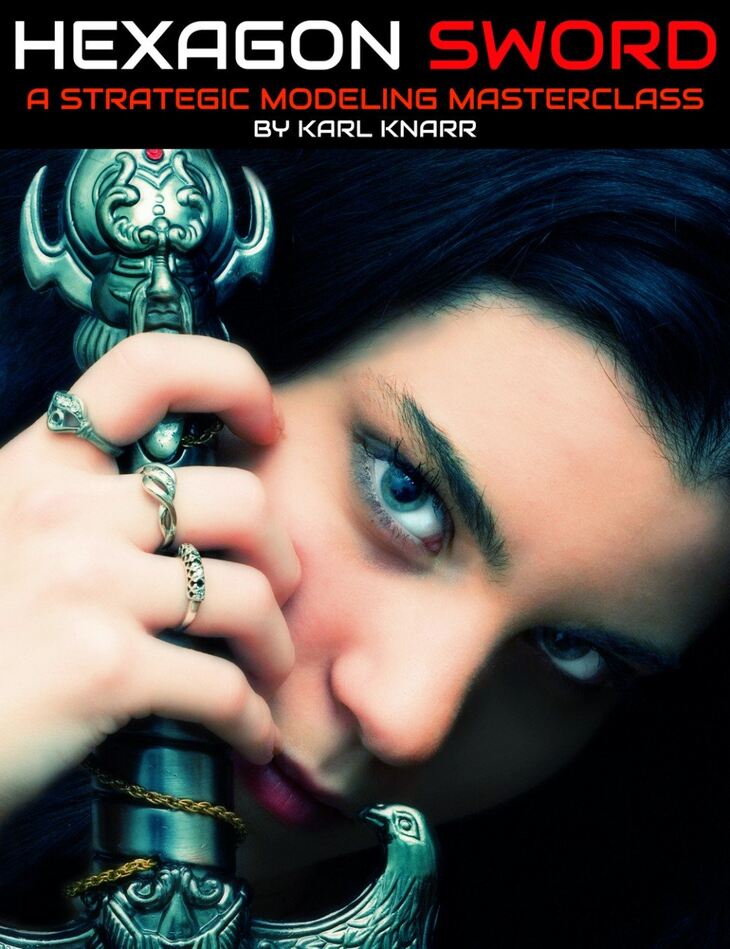
From Digital Art Live comes Hexagon Sword: A Strategic Modeling Masterclass, a tutorial available on Daz 3D. The package ships 59 files, starting with Hexagon Sword : A Strategic Modeling Masterclass, 3 x MP4 video files with total running time of 4 hours and 18 minutes, Session 1: 00:02 Introduction – why modelling?.
We’ve seen this scenario play out all too often. There are lots of props out there, but what if the concept you have in mind calls for a specific prop in a specific style that you can’t seem to find? You think to yourself Hexagon is free, and if it’s good enough for artists like DZFire, Protozon and FirstBastion, maybe I should take a look? You find some YouTube videos on how to use Hexagon and the basics of modeling a 3D object and you’re ready to start. But halfway through your project, you realize that you’ve modeled yourself into a corner and don’t know how to escape! In this tutorial set we’ll go over a strategic approach to modeling from conception to creating a usable prop. We’ll walk through planning your modeling project from setting up reference images, to dividing the mesh into segments, to surface planning and then UV mapping. We’ll identify common areas where new modelers make mistakes and how to resolve them . We’ll also go over importing your object into DAZ Studio, parenting the prop (a sword) to your figure’s hand. Total running time of tutorial : 4 hours and 18 minutes You’ll Learn About the Presenter : Karl Knarr Whilst Karl’s formal training is in computer programming, he has been learning and sharing tutorials on DAZ Studio since 2014. You can read more about Karl’s digital artist journey and his tutorials at https://karl3d.wordpress.com/ As I’ve gotten back into modeling some of my own 3D content, I realized how it has given me more freedom of expression. A lot of my renders lately are of the roleplaying characters for my girlfriend and I to create snapshots of stories we’re co-writing. We tend to have very specific ideas about the look of our characters and the things they might own; so being able to create things myself has allowed me to reach my goals for my images without having to be limited by the content that others have created.” About Digital Art Live We’ve been connecting, educating and inspiring digital artists in our weekly live webinars since 2013. Look out for our community live workshops at the Digital Art Live website and our tutorial products in the Daz 3D store.
What’s included
- Hexagon Sword : A Strategic Modeling Masterclass
- 3 x MP4 video files with total running time of 4 hours and 18 minutes
- Session 1: 00:02 Introduction – why modelling?
- 00:08 Resources – reference images
- 00:13 In GIMP with a reference file
- 00:14 Tagging parts of the reference image
- 00:16 Trade offs with your model. How realistic should it be?
- 00:18 Measure the points. Spreadsheet with the various parts of pixels/real world measurements
- 00:21 Into Hexagon
- 00:22 Setting up the measurement grid and bringing in the reference
- 00:24 About the reference image. Why does the image not go all the way to the ends?
- 00:30 Lock the reference image
- 00:35 Create the initial primitive for the model
- 00:37 Tesselate by slice
- 00:42 Dissolve a tessellation
- 00:46 Shaping the blade
- 00:47 New pivot point in the top of the sword
- 00:48 Sorting out the sword point
- 00:54 Creating the quads on the point
- 00:56 About symmetry
- 00:58 Save incremental
- 01:06 Separate the materials on the model : material zones on the bladeSec
- 01:13 Several material zones added as examples
- 01:16 No need to model something that won’t be showing
- 01:17 Cloning
- 01:20 Advice not to work on the smooth model clone
- Session 2: 00:01 Introduction
- 00:04 Dealing with the tip. Giving it a sharper point
- 00:06 Smoothing problems with 4 sided polygons
- 00:11 Making the blade edge sharper
- 00:16 About smoothing levels
- 00:22 The hilt
- 00:24 Using a cylinder primitive and capping it.
- 00:26 Issues with Hexagon with the capping model.
- 00:28 Different capping approaches
- 00:30 Spiral cap
- 00:38 Small cap
- 00:50 Making an arm on the pommel
- 00:56 Curving the arm
- 01:08 Copy and paste the hilt “leg” and rotate
- Session 3: 00:05 Tweaking a vertex
- 00:08 Getting read of n-gons
- 00:12 Non manifold mesh – they can’t exist in real life
- 00:20 Non manifold meshes in DAZ – what happens?
- 00:21 UV Mapping
- 00:23 About UV Mapper pro
- 00:24 We don’t want to weld the pieces together
- 00:25 Bake in the smoothing
- 00:25 Export as Wavefront OBJ
- 00:27 “Def surf” material and what to do with it
- 00:32 Unwrapping the blade
- 00:38 Unwrapping the hilt
- 00:41 Weld operation
- 00:50 DAZ Studio and texturing in Iray
- 00:59 Use the joint editor to centre the prop
- 01:03 Saving the prop and prop attributes
- 01:09 Parenting the sword into the hand
- 01:11 Save wearable preset
- 01:22 END
Specifications
- Source: Daz 3D
- Software / install: DIM Manual Install
- SKU: 69349
- Artist: Digital Art Live
The file is mirrored on 3 hosting services; a free account is required to download.