How to Master Iray Lighting for Realistic Character Portraits
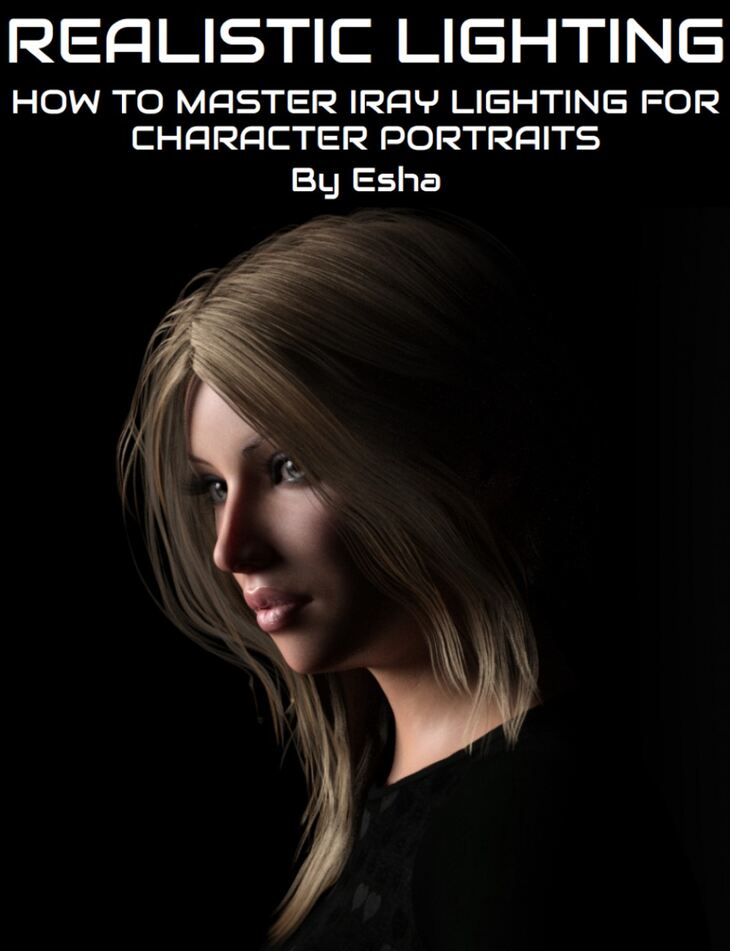
How to Master Iray Lighting for Realistic Character Portraits is a tutorial created by Digital Art Live esha and published on Daz 3D. The download holds 76 items, among them How to Master Iray Lighting for Realistic Character Portraits, Included Videos (.MP4): Session 1 : Light characteristics and setups 00:00 – Introduction, 00:01 – Chapter 1 : Light characteristics explained.
Create awesome portrait renders with real-world lighting techniques! Learn how professional photographers light their subjects and how to transfer their tricks to your Iray renders. Bring out the best of your characters and make your artwork stand out! Esha will take you through 3 hours of tutorials for portrait lighting setups, specifically for Daz Studio and Iray. Included are a number of scene files (including a room prop that can be used for lighting) to help you experiment with the setups. About the presenter Esha: Esha lives in Austria and has been creating 3D products for nearly 13 years! She has created content for Smith Micro and Daz and is an active vendor at daz3d.com. When Daz released the Developer Tools for Daz Studio in 2008 she integrated them into her workflow and has been working with Daz Studio, alongside Poser, ever since. In recent years she has been focusing on DS for product development. Esha’s favourite tools include Daz Studio, Poser, ZBrush, Wings3D, Xfrog, Marvelous Designer, UVLayout and Photoshop. In all of these she is a self-taught artist, basing her skills on years of experience and numerous online tutorials. She fully understands the difficulties of moving from Poser to Daz Studio, having made that journey herself, and enjoys passing on her Studio know-how to new users. Esha also has several years of experience in teaching adults. She firmly believes that the best way to learn is to actively do something yourself, so she favours a hands-on approach in teaching. Knowing only too well how tiresome it is to gather scraps of information all over the web she wants to provide comprehensive webinars that really offer solid information. Moving from the basics to advanced procedures she takes care to make sure that her audience will be able to follow her courses smoothly. In her spare time Esha loves listening to classical music, baking muffins and collecting cat photos.
What’s included
- How to Master Iray Lighting for Realistic Character Portraits
- Included Videos (.MP4): Session 1 : Light characteristics and setups 00:00 – Introduction
- 00:01 – Chapter 1 : Light characteristics explained
- 00:02 – Simple example with default lighting – with a basic portrait cylinder using DIRECTION
- 00:04 – Characteristic : Example with intensity
- 00:06 – Inverse square law
- 00:08 – Characteristic : Colour
- 00:09 – Characteristic : geometry
- 00:10 – Hardness and softness of shadows
- 00:12 – Question on colour temperature
- 00:14 – Chapter 2 : Lights used in Photography
- 00:16 – Sunny or Cloudy – hard or soft shadows
- 00:17 – Photography umbrellas
- 00:19 – Photography beauty dish
- 00:19 – Photography soft box
- 00:20 – Photography reflectors
- 00:23 – Recreating Photography light types in Daz Studio
- 00:30 – Recreating the beauty dish in Daz Studio
- 00:37 – Chapter 3 : Applying characteristics and lighting a portrait figure (shoulders and head)
- 00:38 – Distance and intensity
- 00:42 – Tests with mesh, point, spot light and comparison.
- 00:42 – Tests on reflectors with a character
- 00:49 – Q&A on reflectors
- 00:53 – Chapter 4: Portrait lighting set ups
- 00:58 – Butterfly lighting in depth
- 01:03 – Comment on preferences for different lighting types
- 01:04 – loop lighting
- 01:04 – Butterfly lighting – setting up one light at a time
- 01:08 – Work on one light at a time
- 01:12 – Rembrandt lighting
- 01:13 – Split setup
- 01:17 – Question on Promo lighting
- 01:20 – Spotlight tip where an emissive plane is parented
- 01:28 – Light intensity mathematics!
- Session 2 : Case Studies 00:00 Chapter 1 : Outdoor lighting case studies
- 00:05 Case study 1 : Girl at doorway
- 00:06 Use of ghost light and depth of field
- 00:07 Cast study 2 & 3 : promos – iray sun
- 00:09 HDRI – photographer’s studio
- 00:12 HDRI test – Hotel room – use of mixing natural and artificial lights
- 00:13 About the iray sun colour
- 00:15 HDRI test – Costa Brava beach & Sandy Beaches
- 00:22 Reflectors – advantages. Question on emmisive materials with reflectors
- 00:24 Chapter 2 : Mimicking beauty lighting in Daz Studio
- 00:26 Re-create the real world studio
- 00:29 Trying with different skin types
- 00:31 Clam shell setup
- 00:36 Chapter 3 : Dramatic portraits with a beauty disk
- 00:40 Side light dramatic
- 00:42 Add a grid to your light. Lots of point lights.
- 00:48 Chapter 4: Fashion shoots and recreating these.
- 00:50 Set up recreated – with umbrella lights and back lights
- 00:54 Simulating soft box strip box
- 01:00 3Delight fashion lighting
- 00:04 Esha’s own Daz Studio set up
- 01:07 Chapter 5: Low-key and high key portrait studies
- 01:11 High key portraits. Very light tones, soft light not very many shadows
- 01:14 High key portraits in Daz Studio
- 01:24 End
- Photography Props & Lights : Beauty Dish 60cm
- … and 16 more items in the archive.
Specifications
- Source: Daz 3D
- File format: DUF
- Software / install: Daz Connect DIM Manual Install
- SKU: 54501
- Artist: Digital Art Live esha
Download links for 4 mirrors are listed below.