How to Master Material Zones: Tutorial Guide
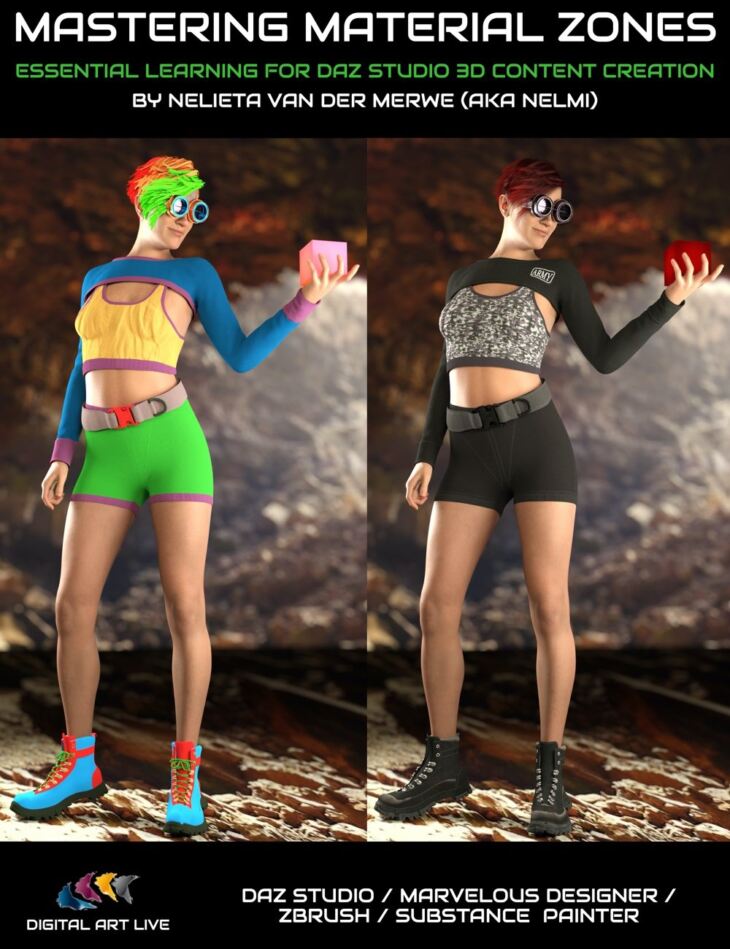
Digital Art Live Nelmi released How to Master Material Zones: Tutorial Guide on Daz 3D. It contains 73 files; the list begins with How to Master Material Zones: Tutorial Guide, Video 1 : 27 minutes (.MP4) 00:02 Introduction and Nelmi’s background as a digital artist, 00:03 Nelmi’s clothing content she has created so far.
Understanding Material Zones provides a whole range of possibilities to customize your existing clothing content, and they are an essential tool for content creators. In this tutorial video set, Published Artist Nelmi will show you how to master Material Zones in Daz Studio AND the applications in her content creation stack: Marvelous Designer, ZBrush, and Substance Painter. Nelieta (aka Nelmi) will show you this complete guide of how to create material zones so that you can: 1. Reuse older content (clothing and props) that can be used for dForce 2. Learn the process to aid you to in creating your own clothing/props 3. Apply multiple textures to 3D content 4. Understand a core and essential process for content creation in order to vend content successfully This is for you if … This is for you if you want to accomplish …
What’s included
- How to Master Material Zones: Tutorial Guide
- Video 1 : 27 minutes (.MP4) 00:02 Introduction and Nelmi’s background as a digital artist
- 00:03 Nelmi’s clothing content she has created so far
- 00:04 Nelmi’s tool set for creating content.
- 00:06 What we’ll learn in Marvelous Designer
- 00:05 About the lack of material zones in content
- 00:06 What are surfaces?
- 00:09 How designing material zones from the beginning is important
- 00:10 Remeshing in Marvelous Designer vs remising in ZBrush
- 00:11 Case study : Designing and making the Orion Clothing Set
- 00:11 Inside Marvelous Designer : Quick introduction to Marvelous Designer
- 00:13 Changing the 3D mesh to quads and why important
- 00:15 Considerations in the design of the Orion clothing set
- 00:17 Working out where material zones should be and how to do inside MD
- 00:19 Designing and defining the material zones
- 00:20 The MD Property editor : looking at the parameters and maps
- 00:22 Reflections, transformations
- 00:23 Physical property presets -> what will affect DAZ when the clothing is brought in.
- 00:26 Why ti use “default for simulation” in MD for DAZ content.
- Video 2 : 1 hour (.MP4) 00:00 Case study – flowing dress
- 00:02 In MD : Checking how material drapes
- 00:04 Clothing from ArtStation for DAZ can be cheap but tends not to be optimised for DAZ and substandard
- 00:05 Mesh density recommendations for clothing models
- 00:08 Note that there is no bridge between MD and DAZ
- 00:13 Particle distance recommendation; what’s helpful for dForce.
- 00:17 MD great for creating the morphs
- 00:19 UV editor demonstration
- 00:21 Spend enough time on material zones before bringing into DAZ
- 00:24 Export from MD to DAZ as OBJ. Recommended export options
- 00:27 MD Subdivide/Freeze /Solidify material brush option is useful, esp subdivide – helping to maintain features of clothing
- in DAZ
- 00:32 In DAZ Studio -> importing from OBJ options recommended
- 00:35 Now go to the geometry editor and see the surface carried over from MD, the material zones.
- 00:38 Reinforcing the need to design material zones before bringing into DAZ.
- 00:39 Combining surfaces
- 00:41 There is no undo in the geometry editor!
- 00:42 Watch out for deleting layers / selected polygons
- 00:46 Case study : The day out clothing model – example of good topology
- 00:49 Exploring the geometry editor further.
- 00:54 FBX/OBJ pros and cons exporting from MD
- 00:59 Seam lines need to be watched in terms of dForce and requires good topology to avoid problems.
- Video 3 : 1 hour and 31 minutes (.MP4) 00:00 Recap of what learned in previous sessions
- 00:04 UV map and baking of maps
- 00:06 in MD : recommendation on quad meshes
- 00:08 Patch topology
- 00:10 Watch for sewing lines when topology is changed
- 00:11 Lose the welds, so you have to re-sew the lines
- 00:12 Watch for triangle polys – not good for dForce
- 00:14 MD recommends to take into another application for retopology such as ZBrush.
- 00:22 About retopology
- 00:24 Import OBJ from DAZ – fits clothing automatically on body shape
- 00:29 DAZ Studio -> import from MD
- 00:31 Geometry editor – using select loop
- 00:33 Creating different surfaces with the geometry tool
- 00:35 Create surface from selected
- 00:37 Three different ways of selecting geometry tool functions
- 00:40 Case study : Nelmi’s latest creation – designing for material zones
- 00:43 Update vertex positions
- 00:46 Hiding the belt loops
- 00:52 dForce considerations on Nelmi’s clothing set
- … and 13 more items in the archive.
Specifications
- Source: Daz 3D
- Software / install: DIM Manual Install
- SKU: 86455
- Artist: Digital Art Live Nelmi
It is available through 3 mirrors. Registration is free and takes a moment.