Light Probe Tool
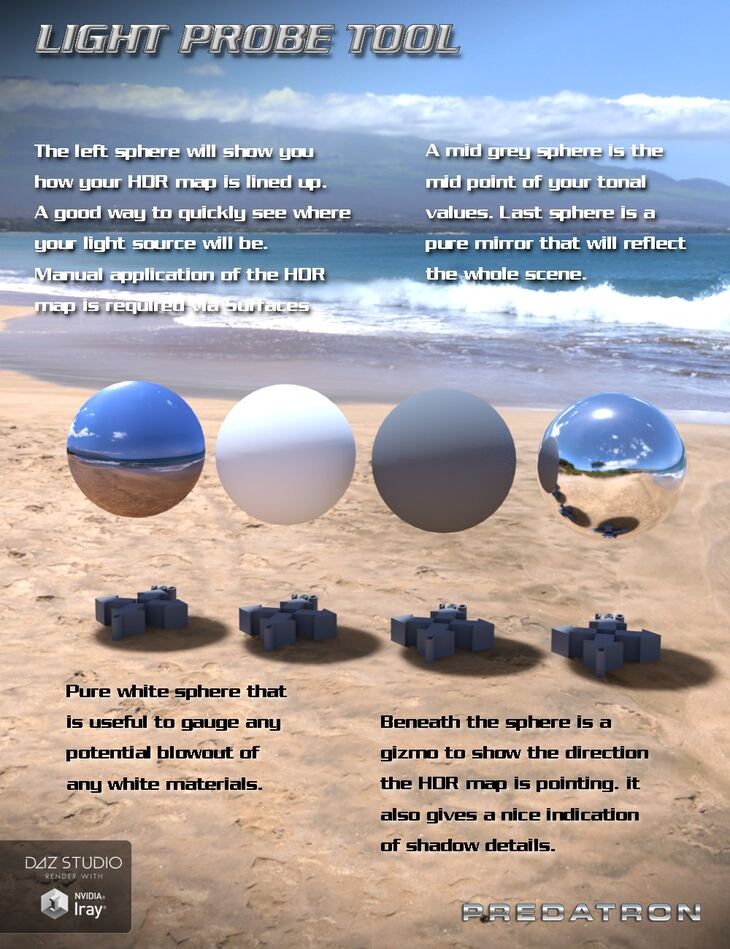
Daz Originals Predatron released Light Probe Tool on Daz 3D. Inside the archive you get 4 items, including Light Probes x 4: Default Environment Map, Mid-grey, White.
Here’s a free simple little utility prop for Daz Studio and Iray to help test your lighting and tonal values. The first sphere is set up to take the default HDR map that is loaded when Daz Studio first loads. When you look at it you can quickly see where the map will be position on the Iray scene dome. You will also see at a glance just where the main bright spot of the map will be located. This is useful when adding any additional lights such as a direct light to simulate the sun. If you need to rotate your main Iray scene dome then you need to update the y Rotation settings with each sphere. The second sphere is pure white. This gives you a good example of any potential blow-outs of your brightest materials. The third sphere is set at mid-grey and gives you a good indication of general lighting information. You can see where your lighting is coming from and can be used as reference when colour correcting your image in Photoshop or other image editing software. The fourth sphere is a pure mirror that will reflect the entire scene. Again a good reference as to where everything is in your scene such a lights and bright spots.
What’s included
- Light Probes x 4: Default Environment Map
- Mid-grey
- White
- Mirror
Specifications
- Source: Daz 3D
- File format: DUF
- Software / install: Daz Connect DIM Manual Install
- SKU: 30976
- Artist: Daz Originals Predatron
The file is mirrored on 3 hosting services; a free account is required to download.