Little Explorer for Genesis 9
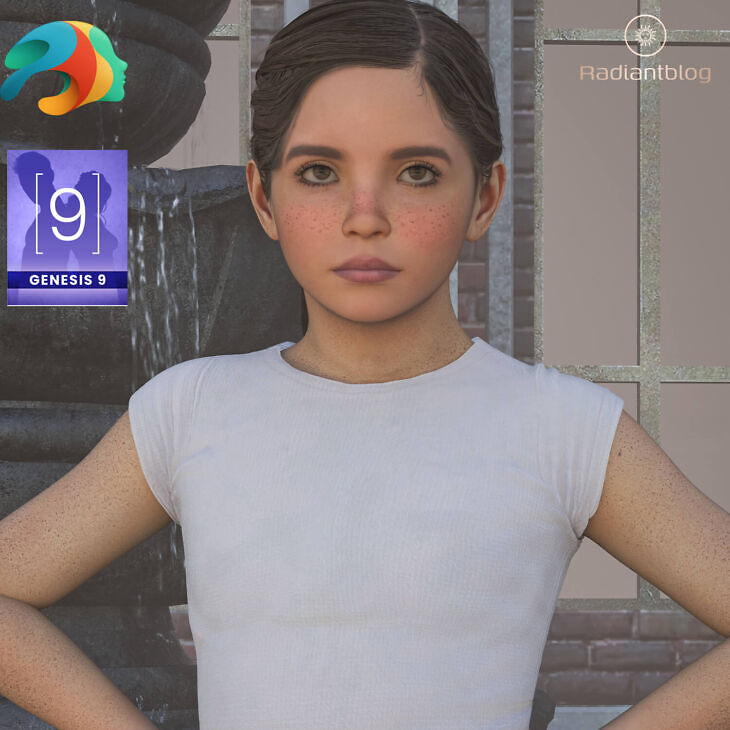
KuraiKya released Little Explorer for Genesis 9 on RenderHub. The package is distributed through the download mirrors below.
Little Explorer for Genesis 9
Bring your renders to life with Little Explorer for Genesis 9, a custom character set featuring dedicated clothing, rigged hair, and full-body morph integration. Designed specifically for Genesis 9, this package comes complete with dForce-enabled outfit pieces and custom facial features.
What’s Included
Main Folder (People / Genesis 9 / Characters / KuraiKya / Little Explorer)
Little Explorer with Clothes.duf
Little Explorer without Clothes.duf
KuraiKya_Store.dsa
Character Presets (… / Character Preset)
Character Preset.duf
Little Explorer Eyes.duf
Material Preset.duf
Shaping Preset.duf
Clothing (… / Clothing)
!!!Load All Little Explorer Outfit!!!.duf
Little Explorer Shirt.duf (dForce enabled)
Little Explorer Skirt.duf (dForce enabled)
Little Explorer Shoes.duf
Little Explorer Underwear.duf
Hair & Features (… / Hair)
Little Explorer Hair.duf (Rigged hair)
Little Explorer Eyebrows.duf
Little Explorer Eyelashes.duf
How to Install & Extract Zip Files
Download the .zip archive file to your computer.
Windows: Right-click the .zip file and select “Extract All…”, choose your destination folder (e.g., your Daz 3D Content Library directory), and click Extract.
Mac: Double-click the .zip file to automatically uncompress it into a folder.
Ensure the extracted folder structure (People/Genesis 9/Characters/…) aligns directly with your existing Daz 3D My Library or Content directory.
Open Daz Studio, navigate to your Content Library under People > Genesis 9 > Characters > KuraiKya > Little Explorer, and double-click any preset to load it into your scene.
Specifications
- Source: RenderHub
- Compatible figures: Genesis 9
- File format: Daz Studio DUF
- Software / install: Daz Studio
- SKU: 280157
- Artist: KuraiKya
The file is mirrored on 8 hosting services; a free account is required to download.