Tinkercad – Easy Modeling to Create DAZ Studio Assets
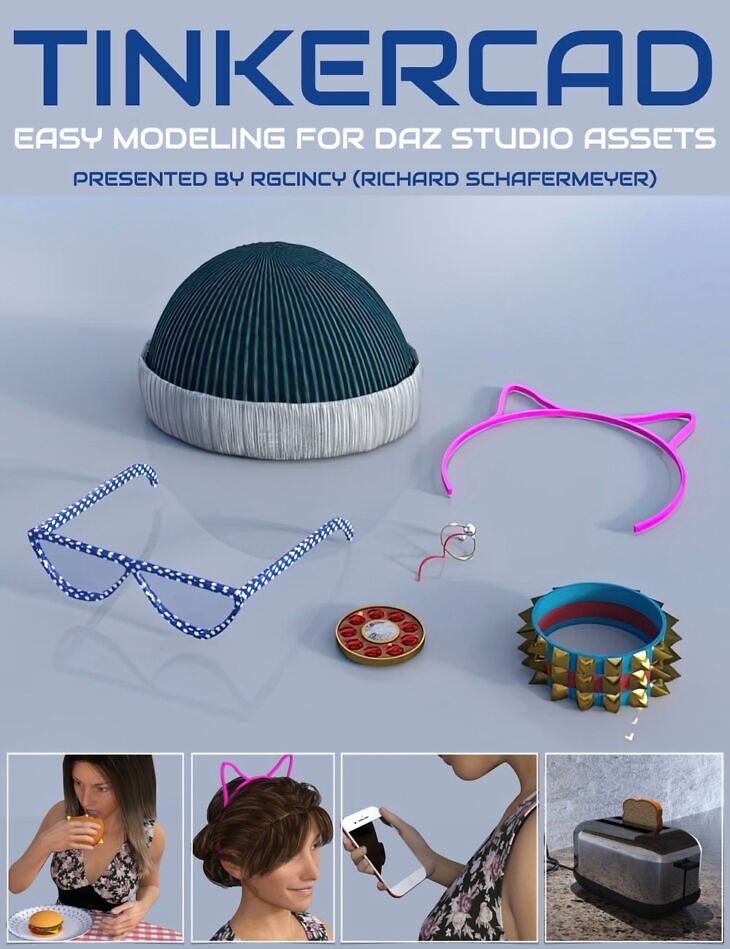
Tinkercad – Easy Modeling to Create DAZ Studio Assets is a tutorial created by Digital Art Live and published on Daz 3D. It contains 22 files; the list begins with Tinkercad – Easy Modeling to Create DAZ Studio Assets, 00:04 Exploration of the ‘Shape Generators’ section, featuring a diverse array of shapes that can be adjusted, like text designs, circular text, and more complex models with customization features., 00:08 Demonstration of shapes that can be manipulated based on mathematical equations and vector graphics, offering the ability to model with high precision and creativity..
Rgcincy (Richard Schafermeyer) is an experienced modeler who has previously written his own 3D modeling software (Shape Magic) plus is a very experienced DAZ Studio user. Over the last year he’s discovered Tinkercad, a free online modeling tool by Autodesk. It’s easy to use for creating models destined for 3D printing and producing assets for 3D software, such as DAZ Studio. Rich has been very impressed with Tinkercad and he’d now like to show you the benefits of this application. Tinkercad is perfect for those that want to get started in creating 3D models for DAZ Studio without learning a complex modelling program. Total Running Time 1 hour 32 minutes 2 x MP4 HD format videos Searchable version (search on any keyword or phrase) included Rich will show you Tinkercad so that you can… – Understand the Tinkercad interface comprehensively – Create simple to more complex 3D models. – Transform your models into a Minecraft or Lego style – Export the models for use in 3D printing and 3D programs – Import the models into DAZ Studio and add textures – Learn how to import models from DAZ Studio for modification – Utilise the Tinkercad library of pre-made models in DAZ Studio – See how models can be animated by using gravity in Simlab – Play with materials and connectors in Simlab. This is for you if you… – You want to get started in creating 3D models without learning a complex modelling program – You need a 3D prop or figure accessory that is not available or too expensive to buy – You want to get into 3D printing and need a simple, free CAD program to make models – Creating models by stacking and combining simple shapes sounds like fun Rich is going to show you how to use Tinkercad even if you… – Have little or no experience with 3D modeling – Have never used a CAD program before About Rgcincy Rich Schafermeyer is a long-time 3D artist and programmer. He got his start with the original Poser and Bryce 3D. In 2001, he wrote his first 3D modeler that evolved into Shape Magic. He began to use Daz Studio in 2012. With a research and engineering background, the physics of dForce grabbed his attention! He decided it would be helpful to others if he shared his learnings which he also does within the DAZ forums. He’s now working with Tinkercad and it is his modeling software of choice when creating assets for DAZ Studio.
What’s included
- Tinkercad – Easy Modeling to Create DAZ Studio Assets
- 00:04 Exploration of the ‘Shape Generators’ section, featuring a diverse array of shapes that can be adjusted, like text designs, circular text, and more complex models with customization features.
- 00:08 Demonstration of shapes that can be manipulated based on mathematical equations and vector graphics, offering the ability to model with high precision and creativity.
- 00:10 The potential of integrating Python for math functions to create organic surfaces or terrains, suggesting Tinkercad’s capacity for sophisticated model creation.
- 00:12 An overview of Tinkercad’s gallery where users can share and modify models under Creative Commons licenses, contributing to a collaborative community of creators.
- 00:14 Deconstruction of a toaster model to reveal the component shapes used and the Boolean operations involved, illustrating the process of creating complex models from simple shapes.
- 00:16 An explanation of how to maintain different color surfaces in models for texture mapping in DAZ Studio, using the example of a toaster with distinct black and white parts.
- 00:18 A look at how toast models are created with ‘Scribble’ for a realistic appearance, highlighting Tinkercad’s capability to produce models for food items with lifelike details.
- 00:20 Creation of electrical components like plugs, faceplates, and cords, discussing the utilization of accurate dimensions and the convenience of pre-made shapes for assembling these parts.
- 00:22 A step-by-step explanation of assembling an electrical outlet cover, demonstrating the precise combination of shapes and the use of the align tool for accurate placement.
- 00:28 Analysis of a cat ear headband model to display the simplicity of its construction using basic shapes and the ‘Scribble’ tool for detailing, along with demonstrating mirroring for symmetry.
- 00:30 Disassembly of a coffee mug model to show how indentations and letterings are created using ‘Scribble’ and ‘Hyperboloid’ shapes, reflecting on the use of Boolean operations for such details.
- 00:32 An explanation of creating a sword model with a focus on achieving sharp edges and the center indentation, outlining the process of combining various shapes for detailed features.
- 00:43 The presenter guides on how to import objects into DAZ Studio, noting the scale translation between Tinkercad and DAZ, and how to adjust the scale for a proper fit in the DAZ environment.
- 00:47 How to add UV maps to models using third-party scripts in DAZ Studio, with an emphasis on mCasual’s free scripts for adding UVs and enabling pattern and texture displays.
- 00:49 Visual comparison of models in DAZ Studio with and without UV maps, explaining the significance of UVs in rendering patterns and textures correctly on imported models.
- 00:51 The procedure for exporting parts of a model from DAZ Studio for import into Tinkercad is detailed, including selecting specific parts of a figure to export as an OBJ file.
- 00:55 The presenter shows an example of preparing a model in Tinkercad for 3D printing, emphasizing the need to separate components for printing and then displaying the finished 3D printed model.
- 01:00 An advanced feature of Tinkercad is revealed where Python language can be used to define shapes mathematically, expanding the creative possibilities within the tool.
- 01:03 Limitations and potential technical issues are discussed, such as server-side processing delays for complex shapes and occasional visual artifacts that do not affect the final rendering.
- 01:05 The webinar wraps up with final thoughts on Tinkercad, praising its ease of use and intuitive design, and the presenter offers to answer further questions on the forum.
- Documentation: TinkercadSearchable (.PDF) PDF document with the link to the searchable version of this tutorial set
Specifications
- Source: Daz 3D
- Software / install: Manual Install
- SKU: 97758
- Artist: Digital Art Live
The file is mirrored on 9 hosting services; a free account is required to download.