UltraScenery 2 : A Comprehensive Guide
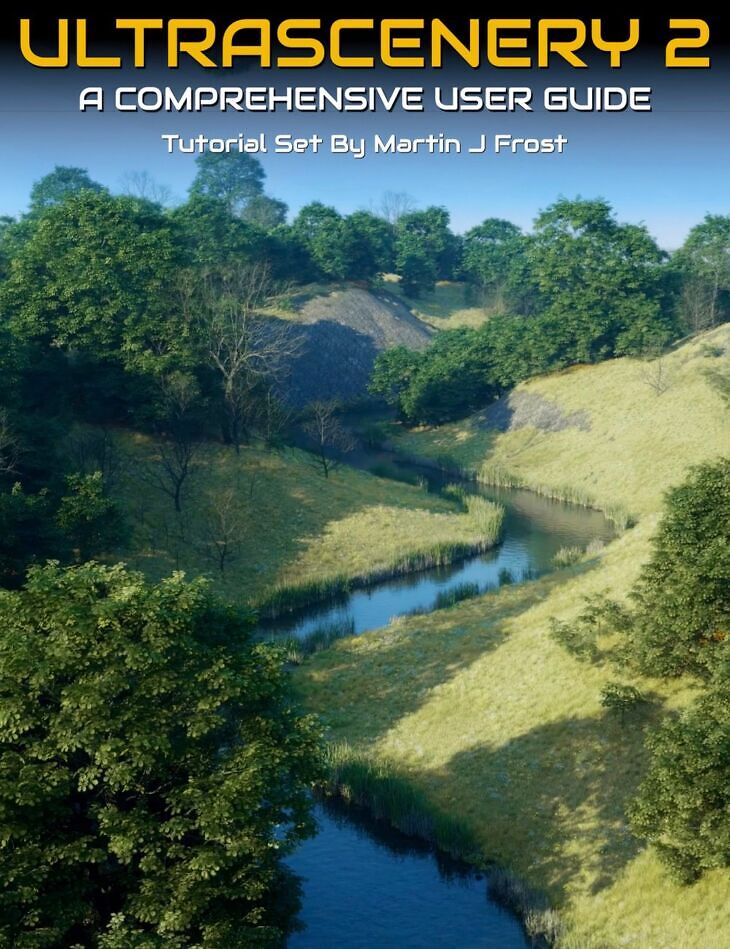
From Digital Art Live MartinJFrost comes UltraScenery 2 : A Comprehensive Guide, a tutorial available on Daz 3D. It contains 28 files; the list begins with UltraScenery 2 : Tutorial Guide, Introductory Video: Introduction and Overview 21 minutes (.MP4) 00:00 Introduction to UltraScenery 2. How it differs from US 1. This tutorial set doesn’t require knowledge of US 1., 00:02 Explanation of instancing and its advantages in DAZ Studio..
Get to grips with creating larger and more dynamic landscapes using UltraScenery 2 with this tutorial video set narrated by Martin J Frost, a seasoned and published artist with close ties to the software creator HowieFarkes. Martin has created UltraScenery expansion packs and is well known for publishing a wide range of flora models. This tutorial set offers a comprehensive review of the capabilities of the new UltraScenery 2 plugin. Martin brings his extensive expertise and practical knowledge directly to your screen, ensuring you gain proficiency and confidence in leveraging this powerful tool for generating your own natural environments, right within DAZ Studio. Martin provides a learning experience on UltraScenery 2 so that you can… 1. Master UltraScenery 2’s controls to create lifelike environments. 2. Efficiently optimize your workflow with practical tips on instance management and rendering strategies. 3. Customize and personalize your scenes by being able to use legacy content and new features like water manipulation and biomes. 4. Gain insights into advanced techniques such as back-facing polygon culling and integration with Alienator 2 Pro for unique content creation. This tutorial set is for you if you are in one of these situations: 1. New users seeking a structured and detailed approach to UltraScenery 2, eager to build their first masterpieces. 2. More experienced 3D artists looking to harness the full potential of UltraScenery 2 for expansive and detailed environmental scenes, picking up a useful set of essential tips and shortcuts. You’ll benefit from learning not just the ‘how-tos’ but also the ‘why-tos’, granting you a deeper understanding that translates into more creative control and better outcomes, learning from hands-on approaches from Martin. Sample Video: Tutorial Set Format and Total Running Time 1 hour 36 minutes MP4 videos with HD 1920 x 1080 resolution Searchable version included allowing you to seek on any keyword or phrase spoken. You’ll learn:- – Installation and Interface Familiarity : Recommended installation and navigating the new UltraScenery 2 interface for an efficient workflow. – Landscape Customization: Mastering the use of terrain presets, height maps, erosion settings, and noise controls to create diverse and realistic landscapes. – Biome Layering: Learning to layer different biomes for ecological accuracy, utilizing the Affinity feature to control the distribution of elements like grass and leaves. – Water Feature Manipulation: Gaining proficiency in adjusting water levels, materials, and the size of water planes to suit various environmental contexts. – Optimization Techniques: Implementing optimization strategies such as backfacing polygon culling and camera culling to reduce render times without compromising scene quality. – Legacy Content Integration: Seamlessly incorporating legacy ecologies and understanding the caveats when adapting legacy features to larger terrains. – Content Customization with Alienator 2 Pro: Exploring the capabilities of Alienator 2 Pro for custom content integration, ensuring a unique touch to every scene. About the Presenter: Martin J Frost Martin was born and raised in Cambridge (UK), lived in Montreal, Canada for some years, and now lives in Norwich. He works in 3D content creation and as a freelance Theatrical Designer and Wardrobe Manager, specializing in costume. Previously he worked as a resident designer for pantomime at the Cambridge Arts Theatre in the 1990s, as a head of wardrobe for Disney, Cirque du Soleil, and many other companies. He also worked as a resident theatrical designer for a local theatre company before lockdown. Now freelance, Martin does the occasional gig for large-scale shows around the country. Earlier Martin qualified in Commercial Horticulture, apprenticed at the Cambridge University Botanic Garden, and fell into theatrical work due to a happy accident! He chanced upon digital content creation whilst looking fo
What’s included
- UltraScenery 2 : Tutorial Guide
- Introductory Video: Introduction and Overview 21 minutes (.MP4) 00:00 Introduction to UltraScenery 2. How it differs from US 1. This tutorial set doesn’t require knowledge of US 1.
- 00:02 Explanation of instancing and its advantages in DAZ Studio.
- 00:04 Additional details on how UltraScenery 2 handles instances, including the use of Level of Detail (LOD) to adjust model complexity.
- 00:06 How the new plugin allows for real-time adjustments and larger landscapes.
- 00:08 Discussion on the technical improvements in UltraScenery 2, including more complex terrains and ecosystems, and how these can be customized for more realistic environments.
- 00:12 Detailed look at the new interface of UltraScenery 2 which offers tabs for various settings and adjustments, allowing more control over terrain, ecosystems, and water settings.
- 00:14 Explanation of new features in UltraScenery 2 such as the ability to adjust water levels and manage the extent of water planes within the terrain for precise scene setup.
- 00:16 Introduction of biomes in UltraScenery 2, enabling users to layer different ecological elements (like rocks, trees, shrubs) and customize their visibility and density within the scene.
- Video Practical Part 1 – Setup: 5 minutes: (.MP4) 00:00 Best method for installation and locating the UltraScenery 2 pane.
- 00:02 Creating a new UltraScenery 2 scene, naming it, and choosing a resolution. The default map saves location and updates render settings.
- 00:04 Setting up initial cameras including a birdseye view and working camera for better scene management.
- Video Practical Part 2 – Camera Setup: 8 minutes (.MP4) 00:00 Using the Optimization Pane to adjust preview density and camera settings for resource management.
- 00:02 Loading ecology presets and adjusting camera culling to control which elements appear in the render based on the camera view.
- 00:04 Switching between different biomes for diverse environments and controlling the visibility of each component in the preview.
- 00:06 Adding individual elements to build a custom biome and adjusting settings to create unique environments.
- Video Practical Part 3 – biome and front Camera Setup: 7 minutes (.MP4) 00:00 Demonstrating the interaction between different biome layers to achieve realistic ecological effects.
- 00:02 Utilizing the Affinity feature to control the distribution of elements like grass and fallen leaves around trees.
- 00:04 Adjusting biome layers to prevent grass from growing close to tree trunks and to place leaves correctly under tree canopies.
- 00:02 Discussion of terrain presets, their impact on landscape size and design, and choosing appropriate scales and features for realistic terrain modeling.
- 00:04 How to use height maps to add depth and dimension to the terrain, and the interplay between different terrain presets that can override height map settings.
- 00:06 Exploration of erosion settings and noise generation techniques to create natural-looking landscapes with realistic erosion and texture effects.
- 00:08 Detailed instructions on fine-tuning landscape features using noise settings like Perlin noise and adjusting parameters such as gamma and fractal grain for enhanced terrain realism.
- Video Practical Part 5a – Change landscape to build a preset: 4 minutes (.MP4) 00:00 Changing landscape features to a river valley and adjusting the terrain’s size and height.
- 00:02 Using erosion iterations to smooth landscape features and adjusting the inertia and deposition for realistic terrain modification.
- 00:02 Understanding how to balance elements in a large landscape to create convincing scenes, with tips for further customizations.
- Video Practical Part 6 – Water: 7 minutes (.MP4) 00:00 Adding water to the terrain and adjusting the river texture for more realism, with a demonstration of different water levels.
- 00:02 Editing water material properties directly in the plugin and fine-tuning the appearance of
Specifications
- Source: Daz 3D
- Software / install: Daz Connect DIM Manual Install
- SKU: 99597
- Artist: Digital Art Live MartinJFrost
The file is mirrored on 8 hosting services; a free account is required to download.